Jekyll2026-02-12T12:15:39+00:00https://coconauts.net/blog/feed.xmlThe Coconauts BlogHardware and software projectsPizza&Peli: personal movie session planner and tracker2026-02-05T00:00:00+00:002026-02-05T00:00:00+00:00https://coconauts.net/blog/blog/2026/02/05/pizzaypeliAt home we do a weekly movie session with the kids, which is met with high anticipation. But we’re not the kind of folks that just pop open Netflix of Disney+ and watch whatever is there - no, we take our children’s education seriously, and as hopeless geeks, that obviously includes carefully curating the selection of movies we consume, so that we expose them to cinematic gems at an age-appropriate rate.
We used to just keep a list in Obsidian with movie ideas as they came along, but as the list grew longer it became difficult to manage. Also, often other parents ask for recommendations on which movies we’ve watched and liked, but we had to rely on our memory to recall them.
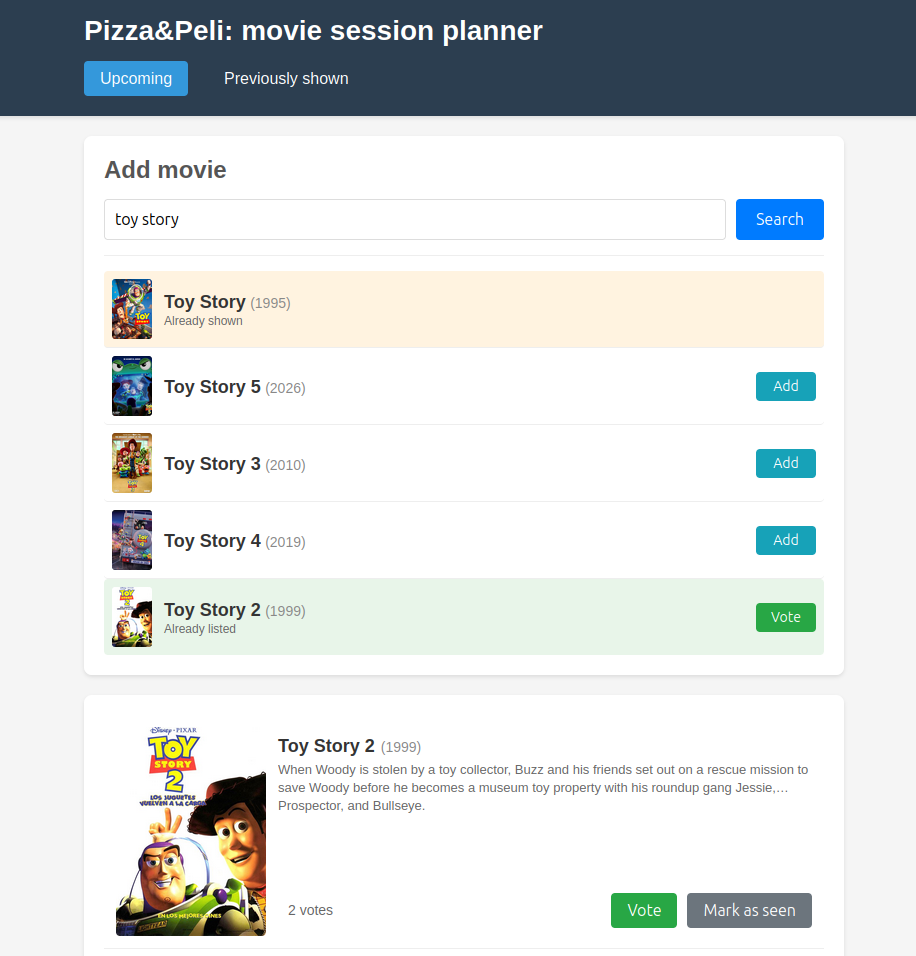
So, we’ve built an app to manage both usecases: Pizza&Peli.
Named after the way we call our movie sessions at home 🍕
It’s a Django app that uses scraped metadata from iMDB, and allows to keep track of the upcoming and previously shown movies in our home sessions. We self-host it in our home server, and pop it up every time we have a new idea for a movie to add to the list, and also to keep of what movies we’ve watched and when.
The source code is on Github. Currently it’s an MVP, but we plan to add more features, like trailers, PG rating, or multiple accounts (so we can use it to keep track of our grown-up movie sessions too).
The app was developed as an experiment to code with the aid of claude code, which allowed for a much faster development than if it would have been written from scratch. I’ve kept a log of the evolution of the app, with prompts and screenshots.
]]>Mar BartolomeMy journey as a Djangonaut - from zero to contributor in one space mission2025-11-06T10:00:00+00:002025-11-06T10:00:00+00:00https://coconauts.net/blog/blog/2025/11/06/my-journey-as-a-djangonautDisclaimer: I’m a fan of open source. The spirit of openness and collaboration just makes software better, and hackers happier. The benefits of open source are noticeable even if you’re just a user - but multiply when you become a contributor as well.
However, contributing into an existing project is always daunting. Specially when it comes to popular projects, with a huge codebase and thousands of participants - such as the Django project, for example. It’s hard to know where to start, how to proceed, and how to get your changes accepted. For all the years I’ve been working as a software engineer, contributing to open source is something that has always been on my wishlist, but never got to achieve.
But as it turns out, Django has an amazing community and runs a periodic program to help aspiring contributors along their journey into their first contribution to the project: the Djangonauts program. I joined session 5, running October-November 2025.
Similarity to the Coconauts name purely coincidental 😬
Ready for takeoff
The program is whimsically themed around a space mission, so I’m following the same convention through this post. Djangonauts (which are the participants who want to become contributors) are placed into teams leaded by a Captain and a Navigator (which are respectively, experienced members of the community and stablished contributors, whose role is to guide the Djangonauts along their journey). Each team is focused around a Django subproject: there are teams for the Django framework itself, but also for the debug toolbar, Django Girls or in my case, my team was working on Django CMS.
The spirit of the program is that of low-structured guidance and support from senior members of the community to aspiring ones, and between the Djangonaut peers themselves. During the program, each Djangonaut is expected to achieve a contribution into their assigned projects, even if it’s a small one - as more important than the contribution itself, is the experience of the contribution process and the integration into the community.
Start the engines
The first week of the program is used to familiarise ourselves with the project - Django CMS is not as popular as it’s big brother, and none of the Djangonauts in the team were acquainted with it. So the first thing to do was spending some time going through tutorials, documentation and setting up a sample project before we do any hacking.
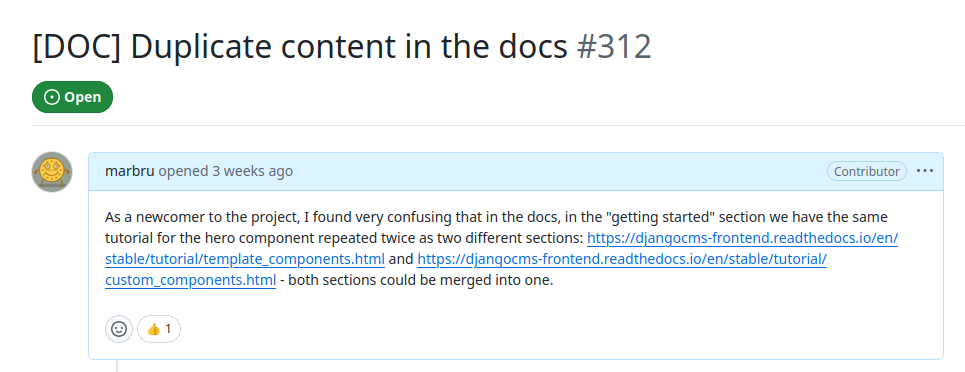
Going through a project onboarding with a contributor mindset is extremely valuable: it’s only the first time that you go through the introductory materials that you get to experience them with fresh eyes, and are able to evaluate it’s effectiveness. So simply going through this learning process, before writing any code, allowed to identify some areas where the documentation was confusing. And as new contributors, we’re encouraged to fix it!
The process of making a change to an Open Source process, even it it’s in the docs, goes through discussion and collaboration with the existing project maintainers. They need to evaluate your change and guide the direction to be taken. So the first step is to raise tickets for the issues that you encountered. Those tickets (or issues, as Github calls them) might give way into pull requests implementing the proposed changes - which might not necessarily be implemented by the same person! Publishing a ticket/issue helps current and future contributors become aware of a bug, a possible enhancement, or even feature ideas, and is in essence another useful way of contributing to open source, without writing any code.
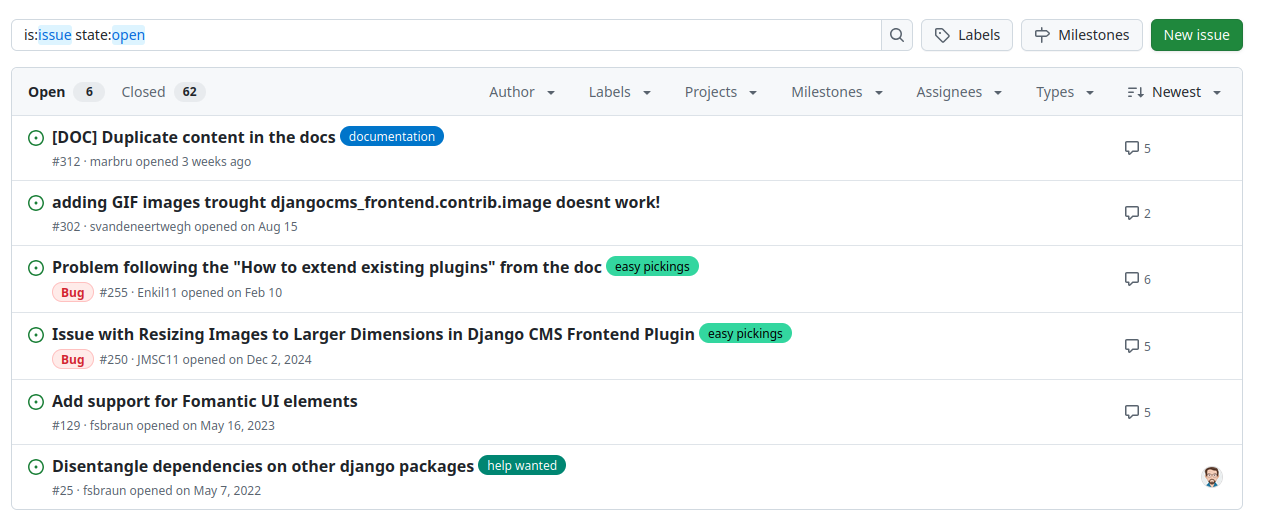
And now comes the time to really get started: our navigator offered a curated list of tickets that are approachable for newcomers into the project, and we are to pick one and start hacking.
This is perhaps the biggest barrier of entry for aspiring contributors in most OS projects - when you are lacking the project context, most tickets won’t even make any sense to you. And here’s where community and curation come to the rescue: many projects use tags for their issues, which can be used for example to tell apart features, from bugs, from documentation. Or a common pattern is to use them to mark tickets that are friendlier to new contributors, with names such as “easy pickings” or “good first issue”.
In my case, I went for a bug ticket, which was marked as “easy pickings”. The ticket had a very clear description on how to reproduce the bug, with even screenshots included - so I settled into doing just that.
And sure enough, reproducing the bug locally was pretty straightforward. But then discovering the source of the bug was a different matter… It turned out to be a tricky one, rather than an easy picking! It required plenty of discussion with our navigator to be able to triage the bug, and decide on a solution - which does not fix the source of the bug, but at least is an UI improvement.
These changes were implemented and raised as a feature pull request. The pull request had a bit of back and forth to get the automated CI system to give it the green light, as well as a passing review from our navigator, which helped make sure the changes were backwards compatible and wouldn’t break existing instances of djangocms. Moving fast and breaking things is not the way of open source!
Success!
Once again, the key takeout is that collaboration with a project maintainer was essential during the process.
Work as a crew
The Djangonauts is not a solo mission: the spirit of the program is collaboration not only with your mentors, but also with the other Djangonauts. There’s a lot of diversity in the participants: not just in terms of geography of demographics, but also there’s people from very disparate backgrounds. There’s people who are already active members of the Python/django community, as well as people with very little exposure to the project, and there’s experienced developers alongside people who are newer to programming. Just like in open source projects in the wild, if you think about it!
The magic of open source is that every part of the process is open, and anyone can collaborate. So even if a ticket is mainly driven by one contributor, it doesn’t mean that others can’t lend a hand as well. As the famous quote goes: given enough eyeballs, all bugs are shallow - i.e., more people have a broader view.
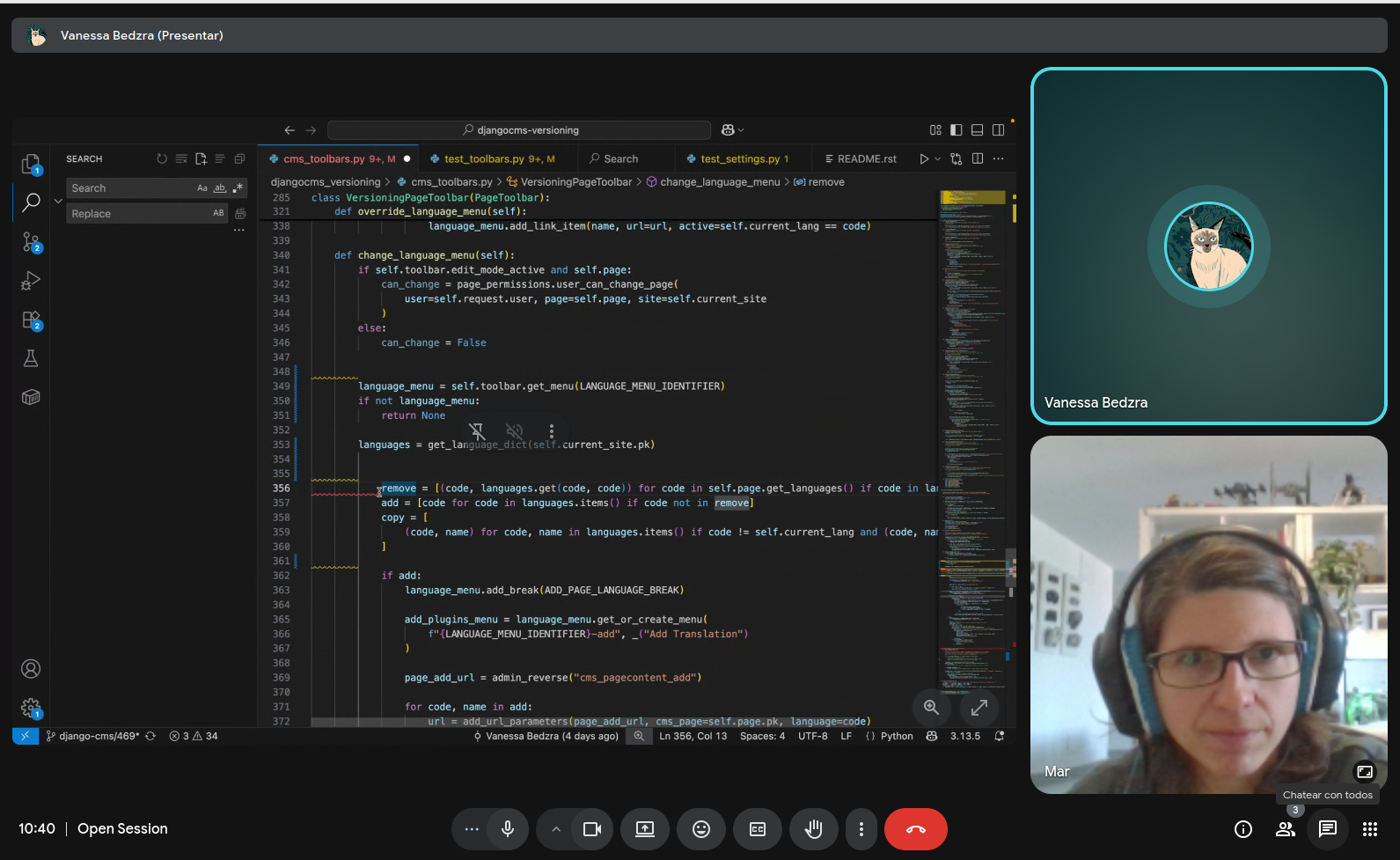
Djangonauts are encouraged to “chip in” into their peer’s doings, not just to help, but also to learn further. Peeking into you peer’s tickets and pull requests is a great way to learn, but also gives you the necessary context to help them if they get stuck - via chat discussions or even live pair programming sessions.
There’s nothing stopping you from adding comments into other people’s pull requests in fact, to provide further help or feedback. Or even having multiple people collaborating by pushing code into the same branch (with prior coordination, to avoid conflicts!).
To infinity and beyond
We’re still halfway through the program, but already I feel like it’s been a rewarding experience. It taught me valuable etiquette and best practices that will guide my future open source efforts, and most importantly, it helped me break that first barrier of making my first successful code contribution to an open source project, which has given me the necessary confidence to keep going at it.
I’m really grateful to the Django community for their welcomeness and dedication - it comes to show that when you cultivate a great community, you grow a great project!
This is just the first mission, but I’m sure more adventures in Django an open source will follow! 🚀
]]>Mar BartolomeBackup Internet Setup for Emergencies2025-10-28T10:00:00+00:002025-10-28T10:00:00+00:00https://coconauts.net/blog/blog/2025/10/28/backup-internet-setupWe take so many things for granted in life when they are working fine, but when they fail, you suddenly realize they hanging by a thread - like, literally, THE INTERNET.
At home, we get our Internet from a fiber connection, which, as it turns out, it’s just light pulses coming thru a cable down the street. And this is a single point of failure, ready to be attacked by unlikely adversaries…
Rats! These pesky critters happen to co-live in our neighborhood, and for mysterious reasons they love chewing on the fiber Internet cables - so light pulses no longer reach our home: the LED pilots fade out in our router, and despair looms, for we are now isolated from the digital world.
Our Internet provider eventually sends a technician to fix the broken cables and bring us back to civilization, but sometimes they take a few days (or even weeks!). They are nice enough to give us complimentary 100GBs of mobile data per day (ie 4G/5G), so we can get going with our lives as we wait.
But the problem escalates…
However, this solution is severely limited for our needs. We can only tap into this connection with a mobile phone, and use it to provide a WiFi hotspot using tethering. This is an acceptable solution if you just need temporary internet on a laptop to work, or a tablet to watch Netflix. But in our case, we don’t just use the internet for work and leisure: we need it for our house to function.
We’re the kind of geeks that are fond of domotics and home automations, and our house is riddled with smart devices to the point of ridiculous: we have around a hundred devices connected to our network, each of them with a fixed IP, integrated with Home Assistant, node-red, kuma, and more… They rely on a local DHCP server that lives in a secondary router, so when that router can’t get Internet, nothing works: we don’t have a doorbell, our blinds don’t roll, our garden doesn’t get watered, our heat pump does not trigger… Reconfiguring all this would be absolutely hellish.
Solution: the single responsibility principle
There was a simple solution to all this: we purchased a 4G router to act as an Internet gateway, in stead of our regular fiber router. This router works by inserting a SIM card, and connects to the Internet via the 4G network, like smartphones do, but other than that it acts like any regular router.
Because the responsibility of the main router in our case is limited to just be a dumb proxy for internet access, it’s completely replaceable: we can choose to use the fiber or 4G router as Internet provider as the need arises. The rest of the network setup remains intact, and our house can keep business as usual during the outage with zero effort.
In order to keep using my phone normally, I requested a multi-SIM to my network operator, so that I could have two SIM cards with the same account, one on my phone and another one on the 4G router.
The 4G connection is obviously not as good as the fiber, and we’re still limited to 100GB per day. But by cutting downloads and streaming we get a near-normal Internet experience until the fiber can get fixed.
If you dread spaghetti code, try spaghetti cables
Then we simply swap the entry routers again, and it’s as if nothing ever happened.
]]>Mar BartolomeNFC Floppy Disk Game Launcher2025-07-25T10:00:00+00:002025-07-25T10:00:00+00:00https://coconauts.net/blog/blog/2025/07/25/nfc-floppy-disksAs retro-gaming enthusiasts, we have a broad collection of old PC game files that we can conveniently play on modern PCs via DOSBox, SCUMMVM, and other utilities. But when playing on modern hardware, you lose some of the “magic” - for the real retro experience, those who are true purists will actually go and find some old hardware, set it up with an old DOS or Windows 3.1 build, and then install the actual games there. But this is very impractical… so, what if there was a way to simulate the retro experience, with modern technology?
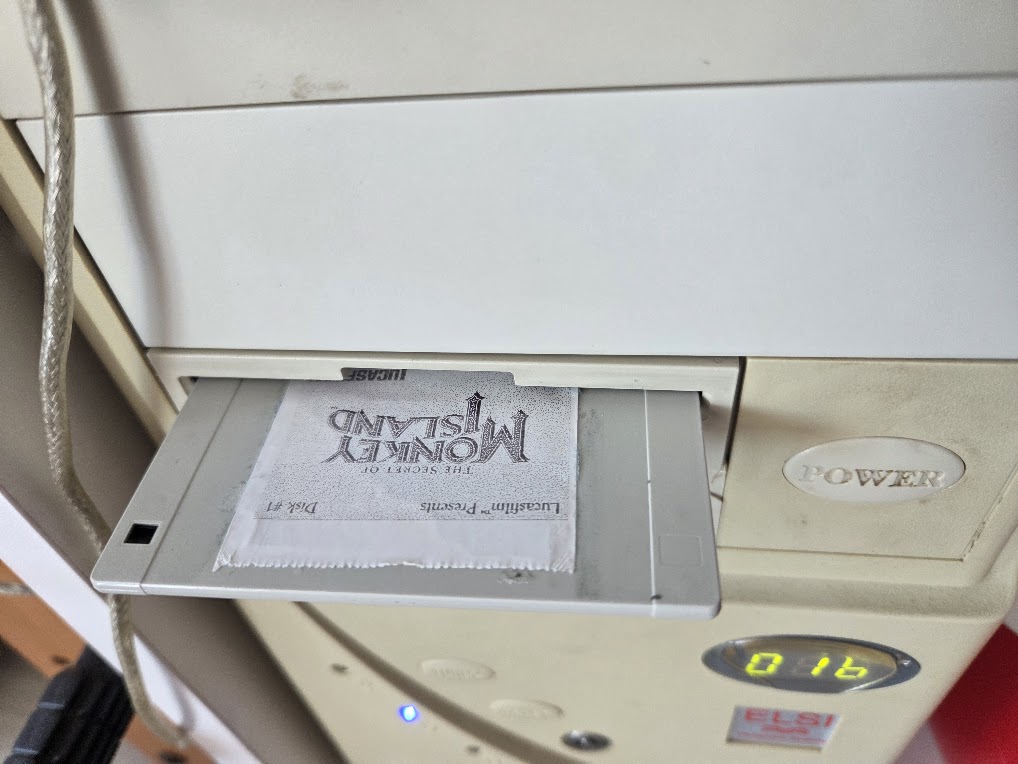
That is exactly what we’ve done: we’re built ourselves a retro PC, using a 386x case, but with a modern PC inside. On it, we’ve installed a fake floppy drive that loads games using NFC - but seemingly, it looks as if they are magically loading from the floppy disks. Read on to learn how!
In a nutshell
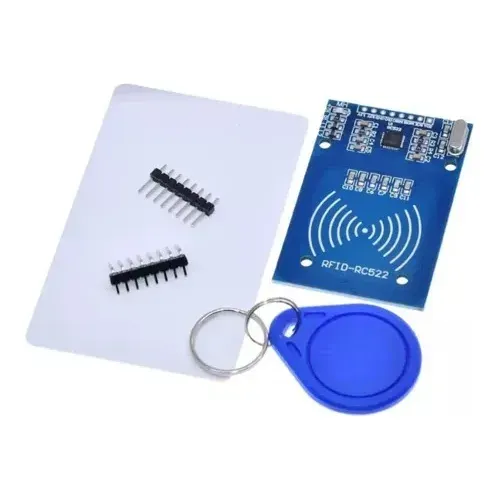
As you can imagine, there’s nothing more to this than using retro facades to hide modern hardware: we replaced the innards of the floppy drive with an Arduino hooked to an NFC reader module; Then, each floppy disk has an NFC sticker, that when inserted in the drive gets it’s ID read.
The Arduino program is continuously reading for IDs, and sends them to the PC through the USB-serial port. On the PC, a python script runs in the background reading this port, and has a hardcoded list of NFC ids, each mapped to an execution command that gets run on a subprocess.
Hardware
We used an Arduino UNO, with an MFRC522 NFC/RFID module running at 13.56MHz, which supports ISO/IEC 14443 Type A cards, MIFARE, and NTAG formats and has a reading range of 1-3cm. And most importantly, there’s a community-maintained Arduino library for these modules.
The MFRC522 module needs to be positioned where it can reliably read NFC tags inside inserted floppy disks. However, we found that the metallic shell holding the disks in place was interfering with the readings, so we had to replace it with a more inert material - including the insertion/ejection button. We made a replacement structure out of LEGO building blocks - it was incredibly simple to put together and works like a charm!
Your browser does not support the video tag.
</video>
The NFC is connected to the Arduino with the following pinage:
VCC → 3.3V (important: not 5V!)
GND → Ground
RST → Digital Pin 9
SS → Digital Pin 10
MOSI → Pin 11 (SPI)
MISO → Pin 12 (SPI)
SCK → Pin 13 (SPI)
And the Arduino itself is connected to the computer via USB for both power and serial communication.
Software
The Arduino is running a script that continuously polls for NFC tags using the aforementioned MFRC522 library (needs installing as a prerequisite) and sends their unique identifiers via serial communication.
And the PC is running a Python script that monitors the serial port, mapping the NFC tag IDs to different followup commands, to launch the games or applications. Uses the pyserial library, which you’ll need to install too.
importserialimportsubprocess# Mapping NFC tag UIDs to games/applications
rfid_to_game={"04a1b2c3":"wine ~/.wine/drive_c/Games/DoomII/doom2.exe","05d4e5f6":"/usr/games/dosbox ~/Games/Commander_Keen/keen.exe","06g7h8i9":"steam steam://rungameid/12345","07j8k9l0":"/home/user/scripts/launch_emulator.sh"}try:arduino=serial.Serial('/dev/ttyUSB0',9600,timeout=1)print("Connected to NFC Floppy Reader")whileTrue:ifarduino.in_waiting>0:tag_id=arduino.readline().decode('utf-8').strip().lower()iftag_idinrfid_to_game:print(f"Launching game for tag: {tag_id}")subprocess.run(rfid_to_game[tag_id],shell=True)else:print(f"Unknown tag: {tag_id}")exceptKeyboardInterrupt:print("Shutting down...")finally:arduino.close()
This approach allows for maximun flexibility: a game can use wine, while another can run on DosBOX, or even if you need a sequence of commands, you can map to a custom shell script. The script spawns a subprocess shell to run the game launch command, and that’s it.
We’re using Ubuntu on the PC, so these commands are run in the default shell (bash). The script is setup to autoload at system startup using crontab. But we’ll leave all the details of the retro-pc for another post.
Creating Game Disks
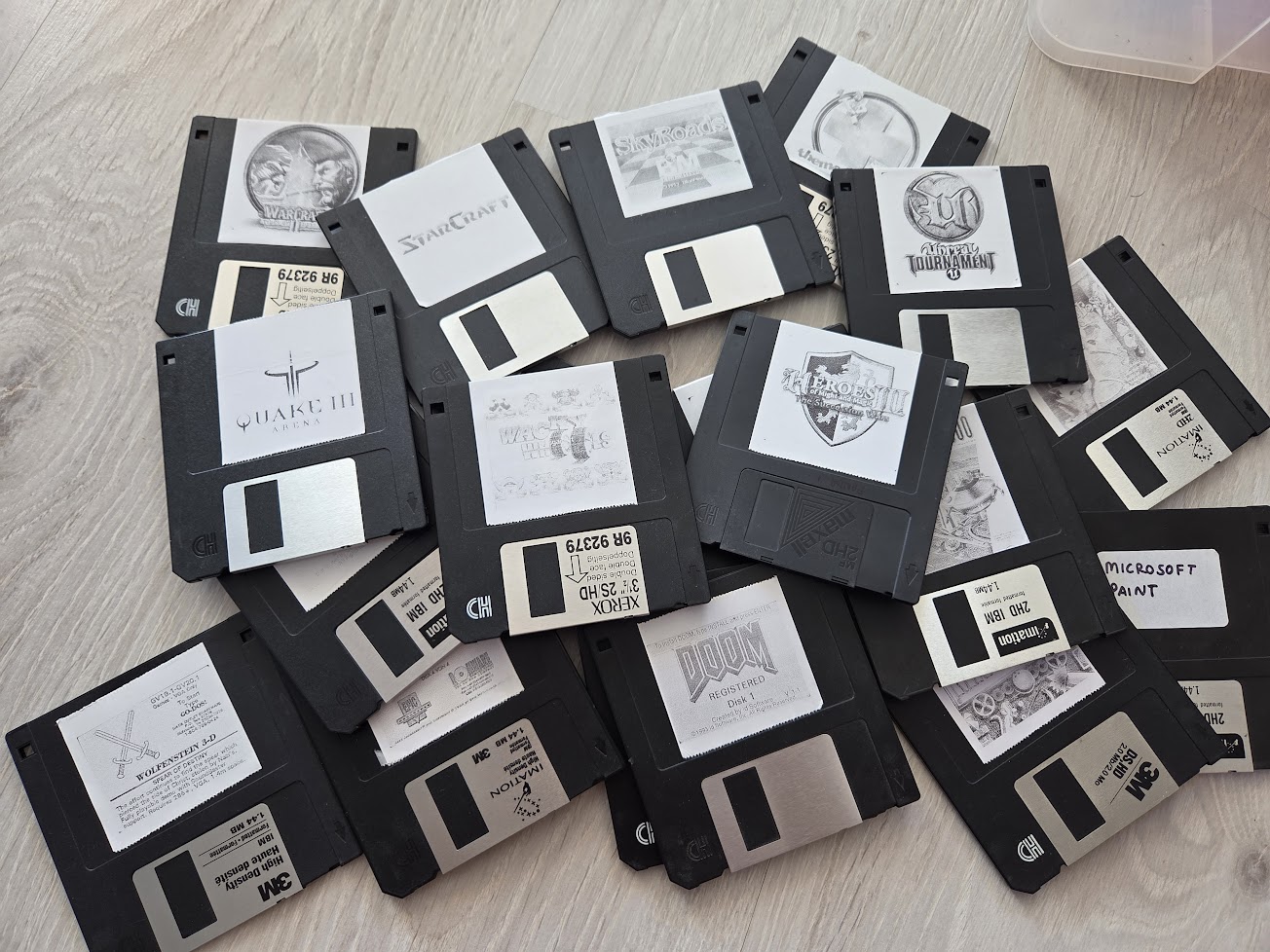
Arguably, the most fun part of the project is creating the game collection. We used old floppy disks, and attached an NFC tag on the back of each of them - and of course, a sticker label on the front. We use a mini thermal printer for the stickers, which also give them a clunky retro feel.
For each disk, we’ll need to know the NFC tag ID so that we can add it to the hardcoded list on the python script. When the script reads an unknown tag, it prints the ID in the log, so we can copy and then paste it in the mapping list with the adequate command.
Final experience
The whole thing is mounted on an old 386x case, keeping the floppy drive frontal panel, so it looks completely inconspicuous. We have the experience of the look and feel of a retro-PC, with the games magically loading instantly. And with the convenience of a modern OS with emulators for installation and maintenance.
]]>Mar BartolomeHiring Demystified2021-09-28T12:00:14+00:002021-09-28T12:00:14+00:00https://coconauts.net/blog/blog/2021/09/28/hiring-demystifiedIt’s not secret that the hardest problems in computer science are cache invalidation and naming things… oh, and hiring. In our industry we’ve developed a culture and a mysticism around hiring, with certain rituals and practices which are often so detached from reality that you see numerous jokes and memes about the subject.
Hiring is a difficult problem, yet important to get right. Many developers are faced with the challenge of hiring other team members, without much clue into how to proceed, and end up just copying the well known rituals without stopping to analyse their effectiveness or implications. Often, this results in hindering both companies and candidates, especially those of under represented demographics.
In this talk I gave at EuroPython 2021, I share my experiences and personal opinions both as a candidate and as an interviewer, analyze the implications of popular hiring tactics, and discuss what I consider effective ones, in order to hire the right developers for your team with minimum hassle for both sides.
]]>Mar BartolomeMicroservices: the small print2020-11-18T12:00:14+00:002020-11-18T12:00:14+00:00https://coconauts.net/blog/blog/2020/11/18/microservices-the-small-printMicroservices get a lot of sales talk, which leads many teams to adopt them eagerly. However, people are not always aware that they come at a price.
In this talk I gave at PyconES 2018 I discuss the basic theory around microservices architectures, and go over the common pain points that they bring, and how they often get you in the opposite direction than you intended with them.
]]>Mar BartolomePaint walls in VR2019-01-19T01:00:14+00:002019-01-19T01:00:14+00:00https://coconauts.net/blog/blog/2019/01/19/paint-rooms-vrHave you ever wanted to paint a room but did not decide which color to choose ?
We found an easy and cool solution, all you need is a phone (mainly an Android, but if you IOS, just replace the apps and locations with the IOS equivalent) and an image editor to paint your room in Virtual Reality.
Open the app, (after a few configuration steps), and go to cardboard camera and take the picture by rotating the phone slowly.
The picture will be stored in sdcard/DCIM/CarboardCamera with a .vr.jpg extension. Copy that file into your computer.
Export _left and _right images
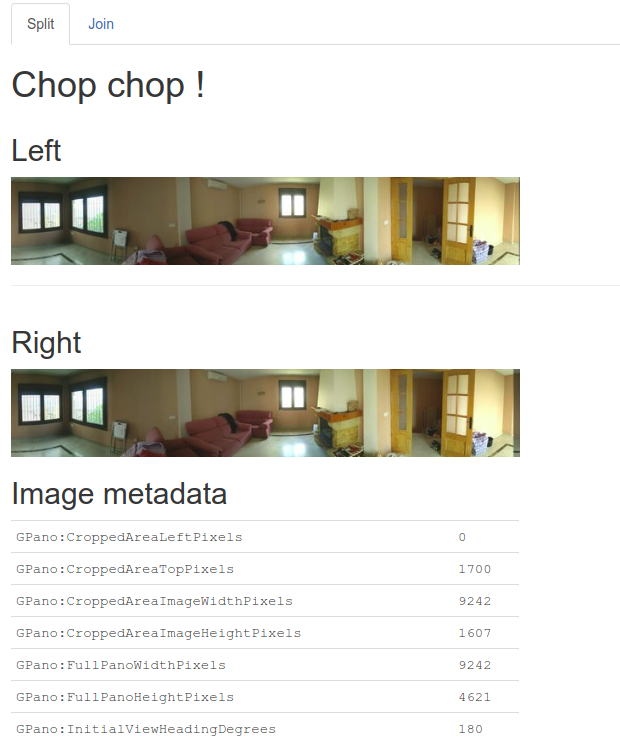
Although the image taken by the cardboard camera looks like a normal jpg image, it contains some metadata that allows the app to support VR.
Because of this, we need to export the .vr.jpg into two separate images using https://cctoolkit.vectorcult.com/#, this step is key to the whole process.
Upload your picture into that website and it will get splitted into two (one for each eye). Right click on the images and save them on your computer with _left and _right names.
Editing the VR picture
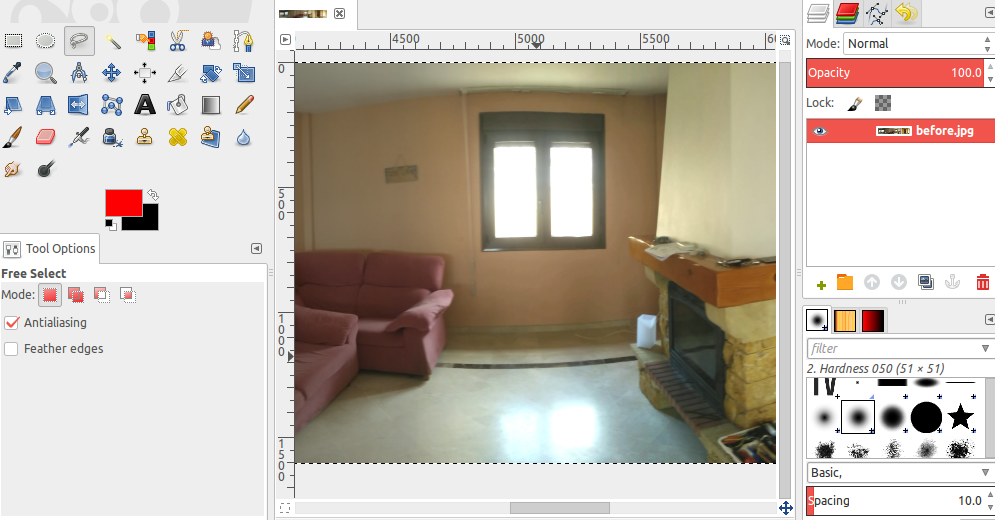
We used GIMP to edit the image, but you can use photoshop or any other image editor, just open both _left and _right images you exported before with it and you will see a plain wide image.
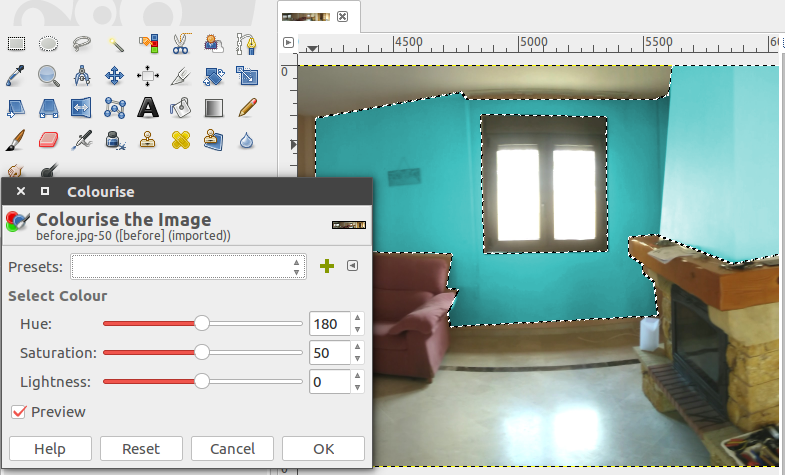
Now you can edit the images in any way you want, what I did was to use the different select tools to select just (and only) the walls on the room, then move it to another layer (for easier management) and then used the colourise tool to change the color.
You need to repeat this operation for both images. Once you’re done, save both images and be ready to combine them together again.
Generate new VR image
Go back to the same website as before https://cctoolkit.vectorcult.com/# and join both images this time, remember to keep the _left and _right names before uploading.
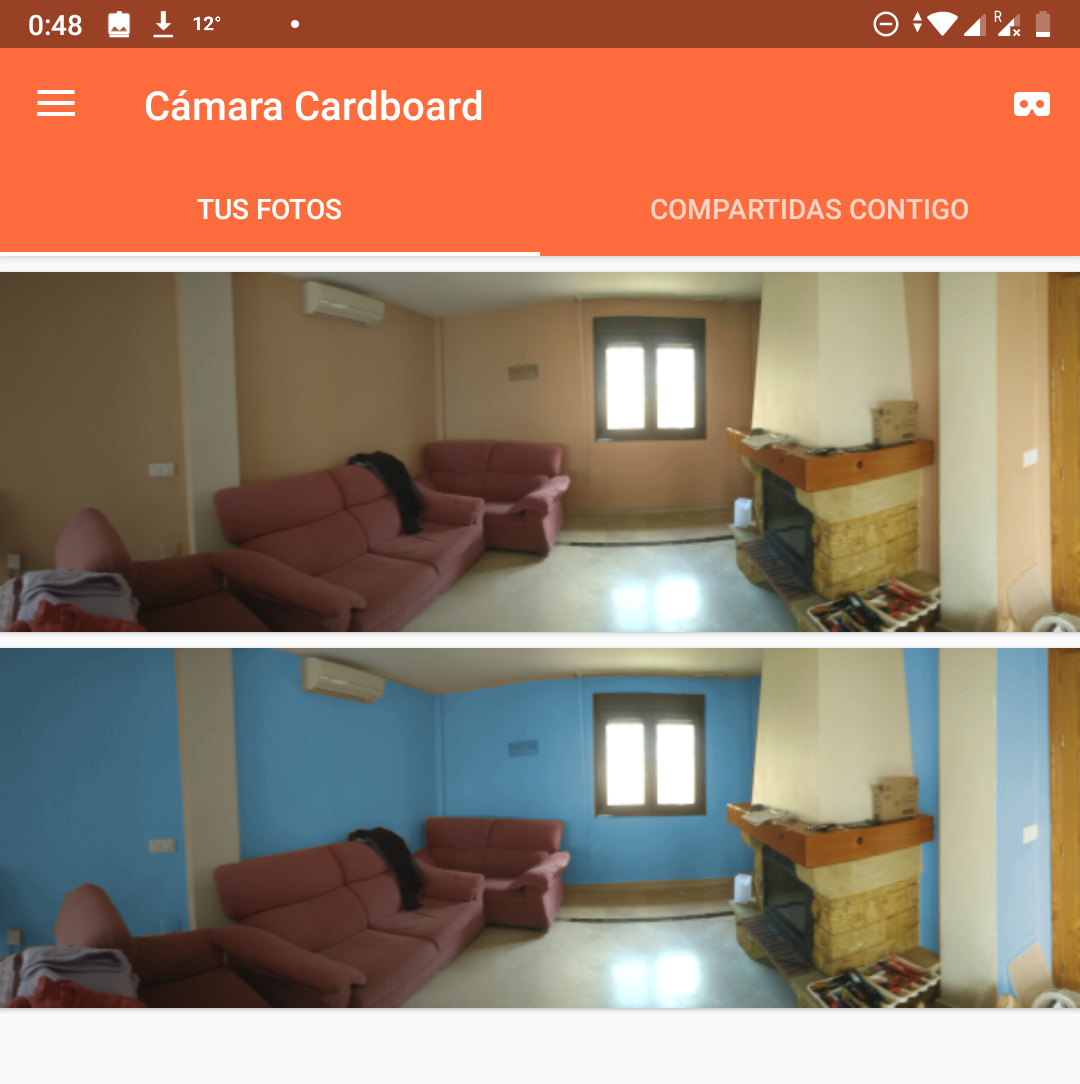
This will generate a new .vr.jpg page. Copy the image back on DCIM/CardboardCamera. If you did everything correctly, you will see both pictures (the new one and the old one) on the cardboard. If you upload a non-vr image, it won’t show on the app.
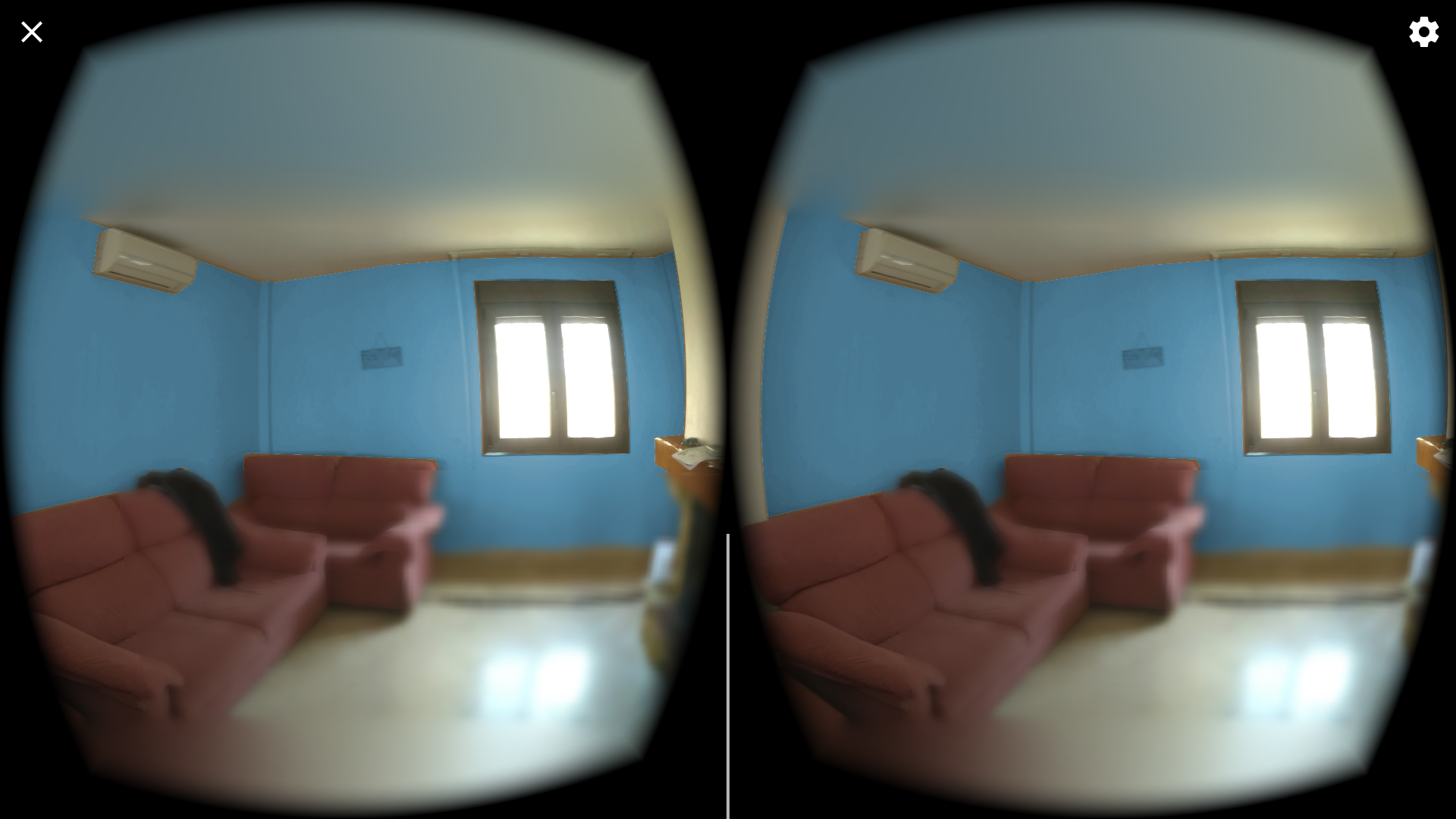
Click on the image and you will see it on VR. That’s it, enjoy.
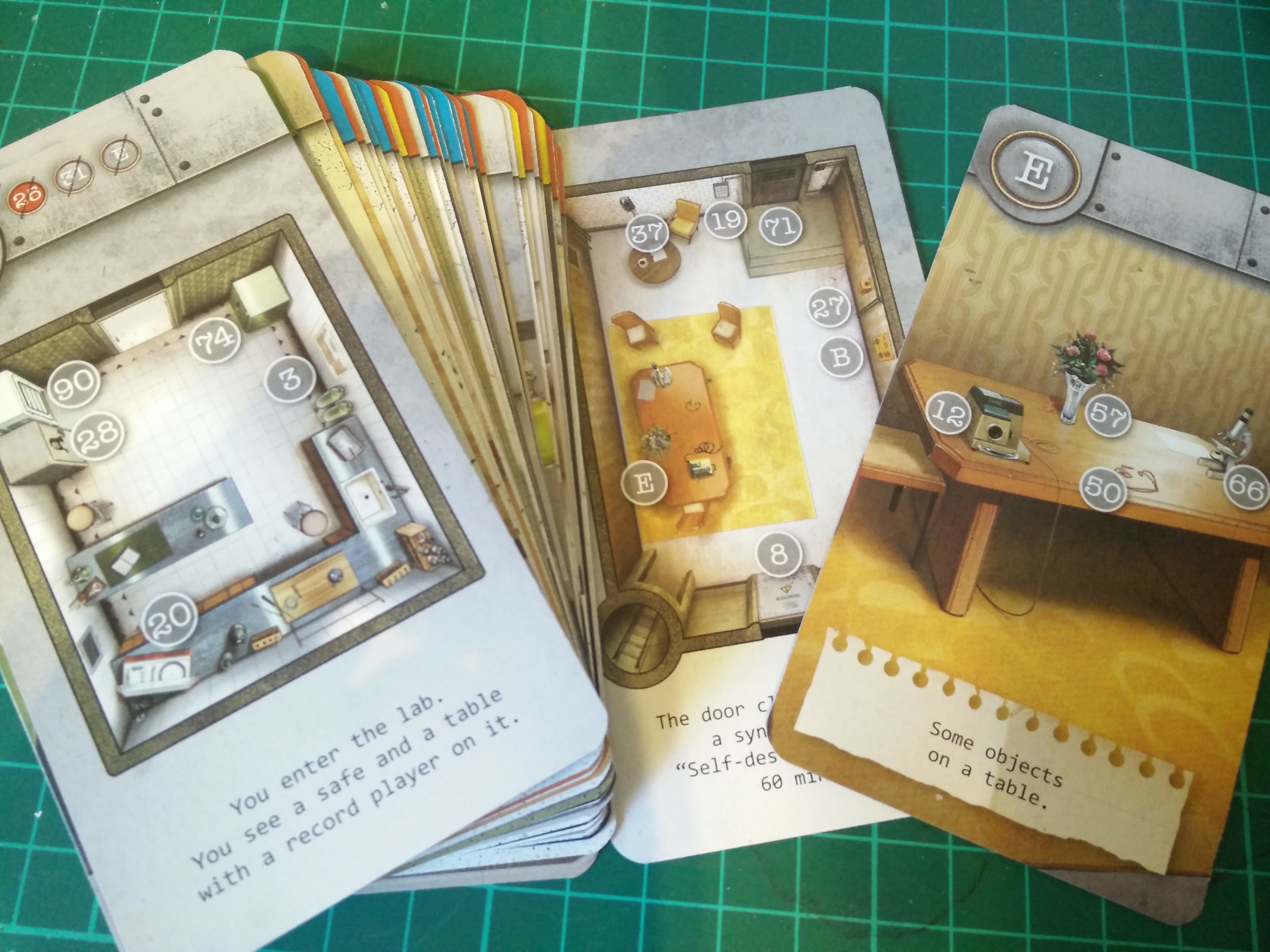
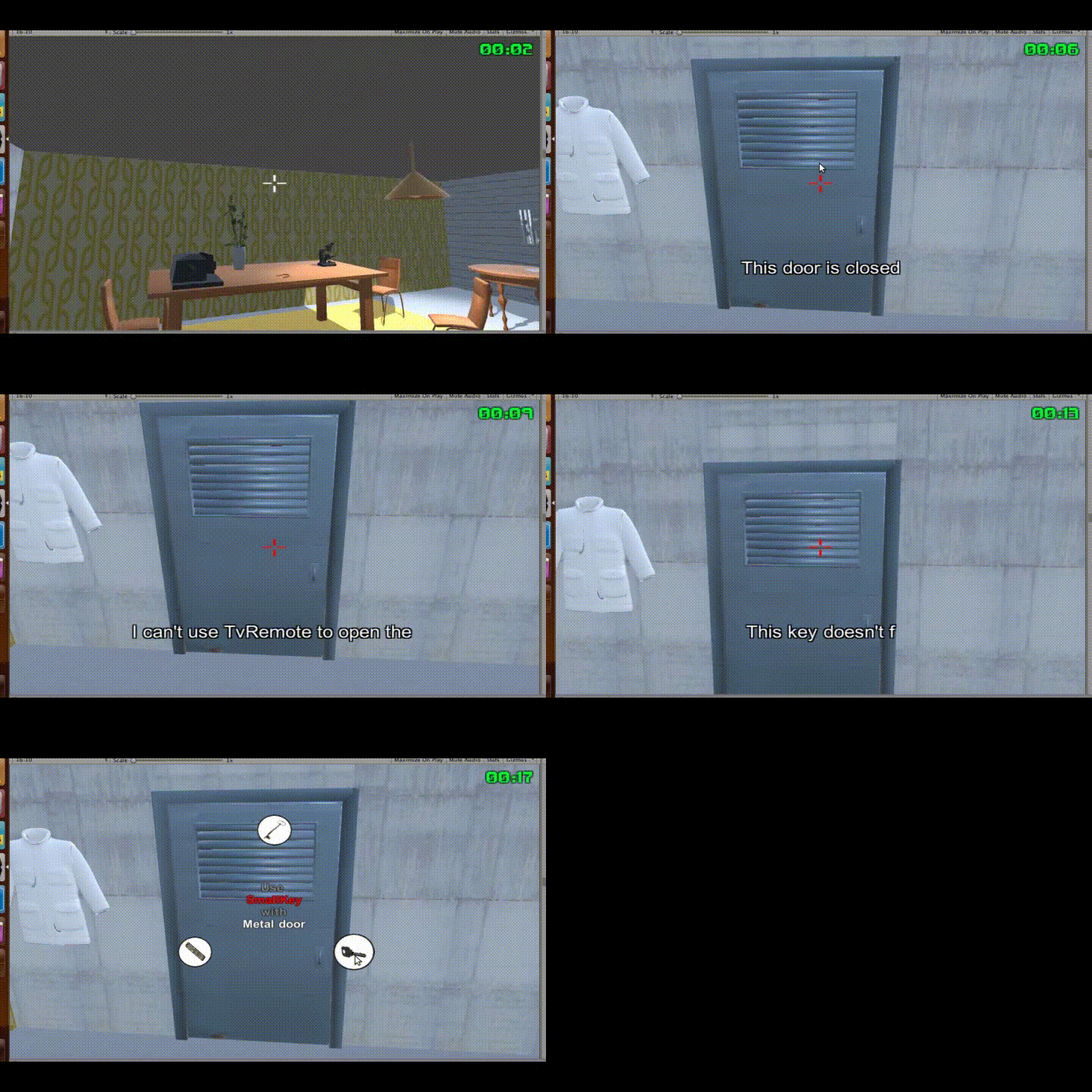
]]>Javier RengelEscaperoom x unlock2018-09-07T14:00:14+00:002018-09-07T14:00:14+00:00https://coconauts.net/blog/blog/2018/09/07/escape-room-demoA year ago we showed you a generative escaperoom game on Unity3D. Based on that formula, we decided to create some manually-crafted levels to make the game even better. So we decided to copy the first level design of a card based escaperoom game called Unlock. And the result was as good as we expected.
The game is not yet finished, but because we are going to move to a different project, we thought about showing you a demo of what we’ve built so far.
Demo
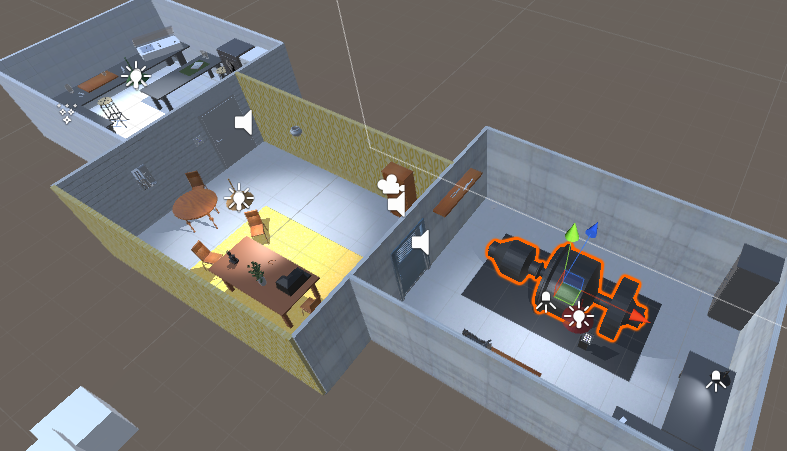
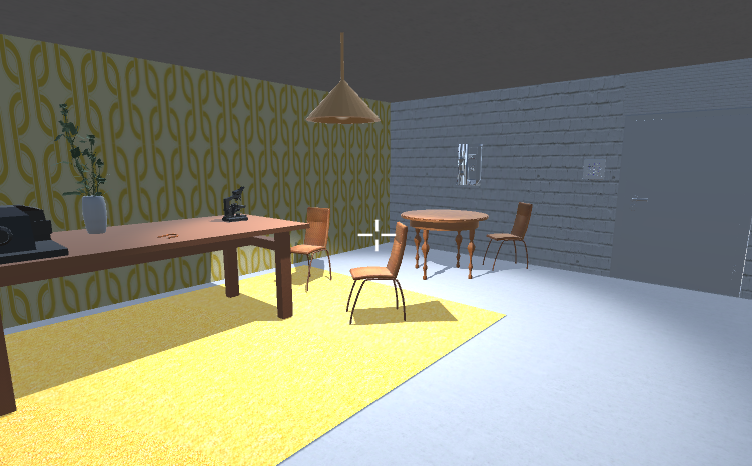
This is a first look of the mechanics of the game
You can play this demo in here http://unity3d.coconauts.net/escaperoom-unlock/. Remember, it is not finished so it could be buggy and you will not be able to finish the level.
Level design
We copied the gameplay of the first level of the unlock game, with the same clues, same objects, similar text entries and even the similar wall textures.
The inventory system
We added to this game a new inventory wheel system, where you pick items and you use them on any other object in the scene using the right click, showing all the items you have on a wheel.
But of course, different items will have a different effect on the item you’re trying to use it on.
Conclussions
It takes a lot to generate the 3d models, implement the logic and replace the card-only mechanics into a 3D videogame; but the result is worth it.
I think, (now that we have proved the concept with a working level design) we could start building our own levels, adding more interactive puzzles (like the laptop one in our previous game).
However, we will pause this project for a while to start working on different stuff, but let us know if you have any interest on playing a game like this at some point in the future.
What do you think about the game?
Your feedback is really valuable to us! so please let us know on the comments or on twitter.
]]>Javier RengelCoconauts 2017 Retrospective2018-01-18T19:14:46+00:002018-01-18T19:14:46+00:00https://coconauts.net/blog/blog/2018/01/18/coconauts-2017-retrospectiveIt’s the fourth year we’re doing this, my, time flies!
2017 was an incredibly packed year for us at a personal level, and the fun is still to continue in 2018. We still managed to scratch a bit of time for Coconauts, with highlights being:
The start of a podcast.
We only recorded three episodes, but each of them managed a listener count of over 100 on
ivoox alone.
Gamedev didn’t stop this year either. We did a bit of fiddling with
Phaser and
Cocos2D,
but in the end we keep coming back to Unity3D for anything serious.
Aside from the already mentioned Escape Room,
we’ve done a Skyroads remake.
And last but not least: we’ve broken a record of blogposts this year!
with 21 of them, almost two per month.
Hoping all of our readers enjoyed following us during 2017. It’s still not
too late to whish everyone a happy 2018, and stay tuned for more exciting
stuff to happen over at Coconauts!
]]>Mar BartolomeLive picture frame2017-11-27T14:14:46+00:002017-11-27T14:14:46+00:00https://coconauts.net/blog/blog/2017/11/27/live-pictureI recently moved from UK back to Spain to work remotely, and since then, I’ve been curious about how the weather is there, specially when talking with people on the other country. Is it raining today ? Is the sun gone already ?
To address that problem, I found a few live videos/webcams about london like earthtv or London Tower Bridge so I kept those videos on one of the tabs of my browser.
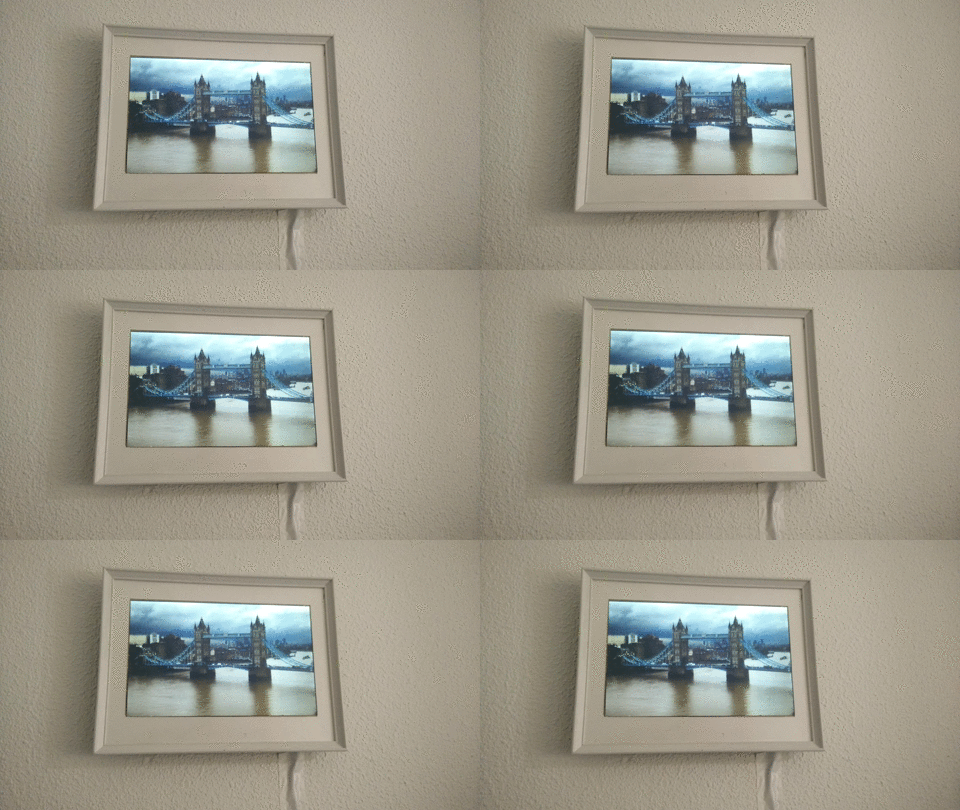
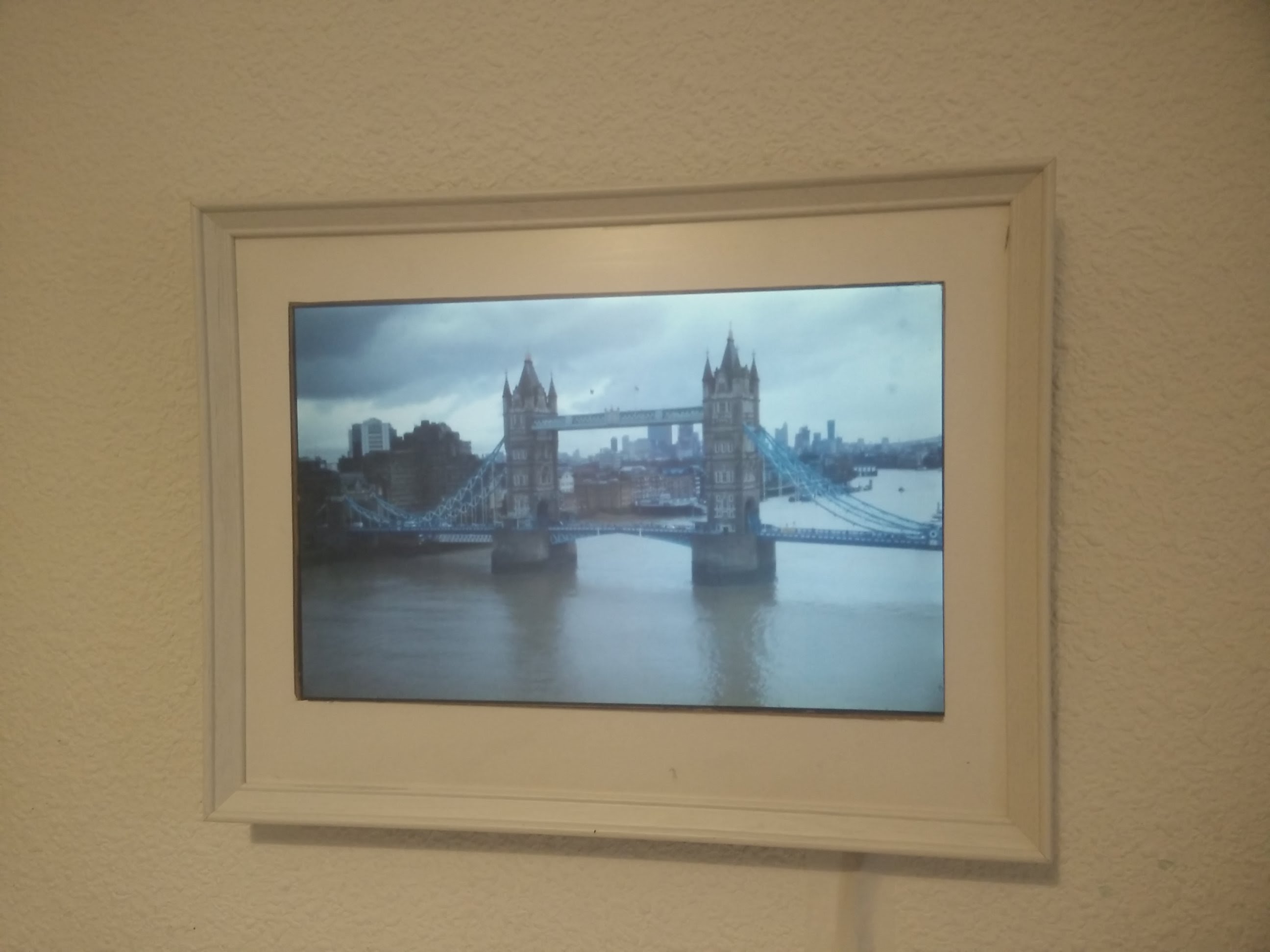
But, wouldn’t be cool to have it on a separate picture frame, always there, just like a normal picture, but live.
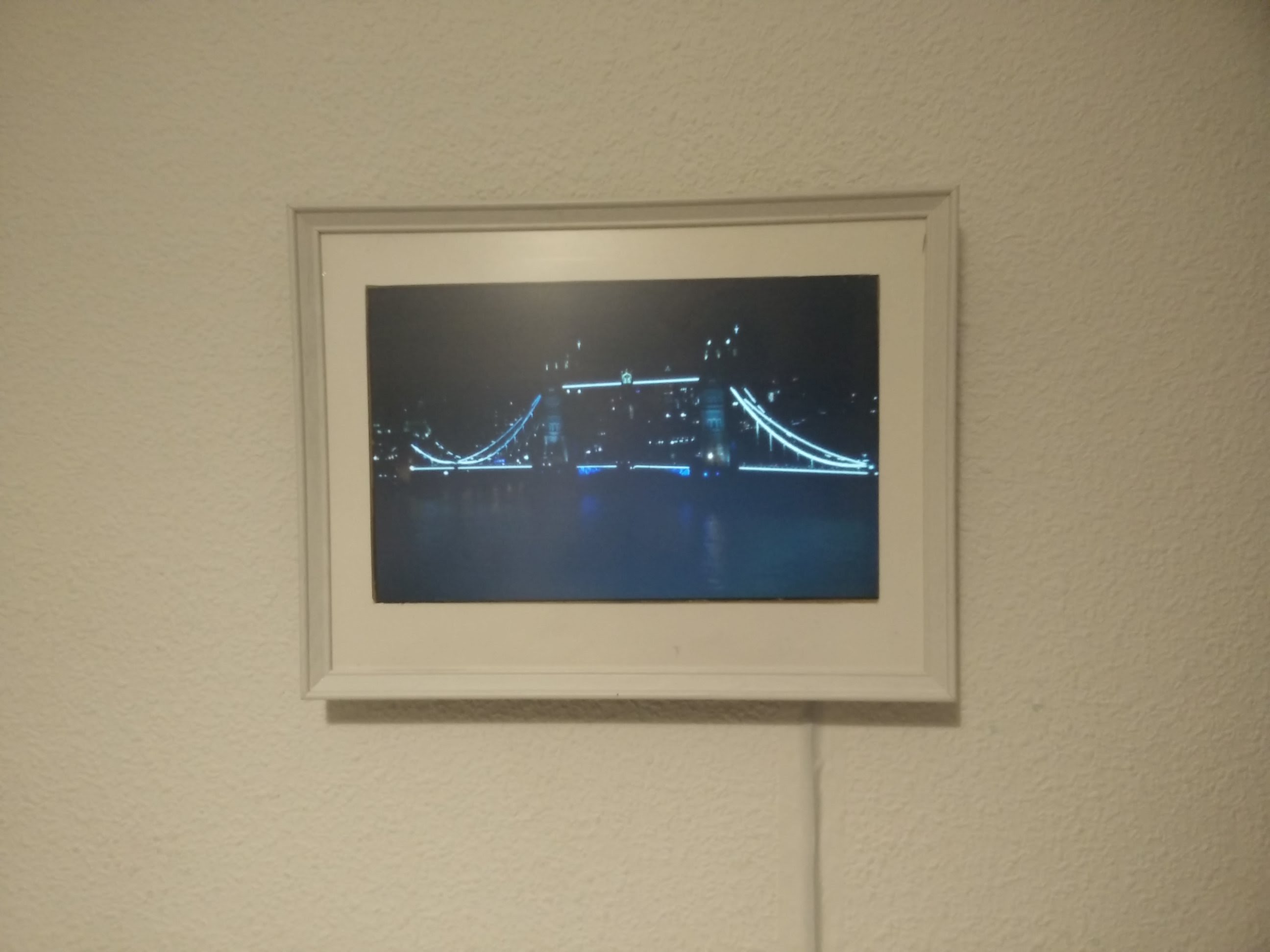
That’s why I built a slim picture frame from old recycled components. To see the Tower Bridge at day and at night.
Materials
These are the materials I used to create the live picture. All these items were already on my inventory:
Old ultra-thin LCD screen from a broken laptop (10 years old)
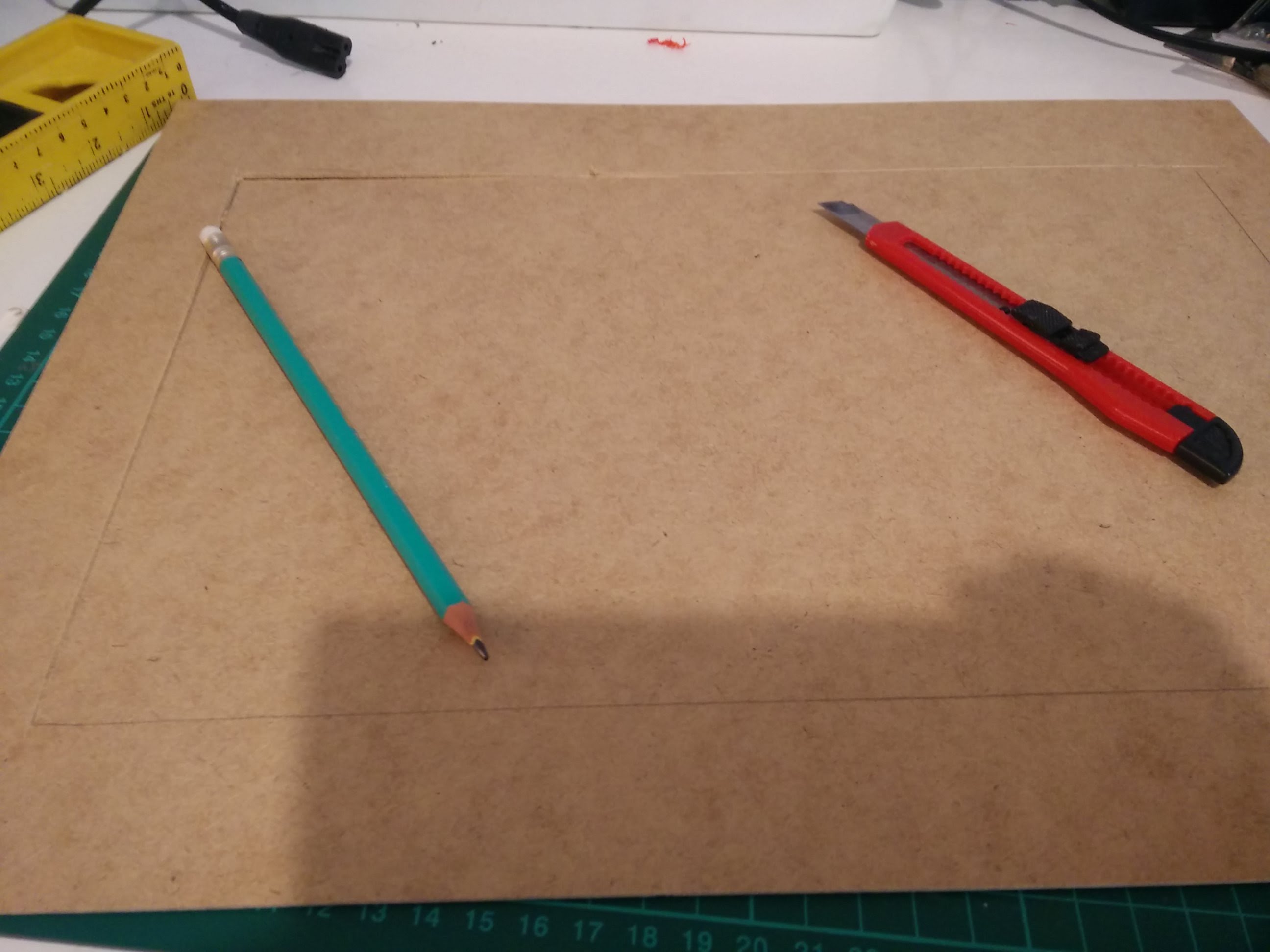
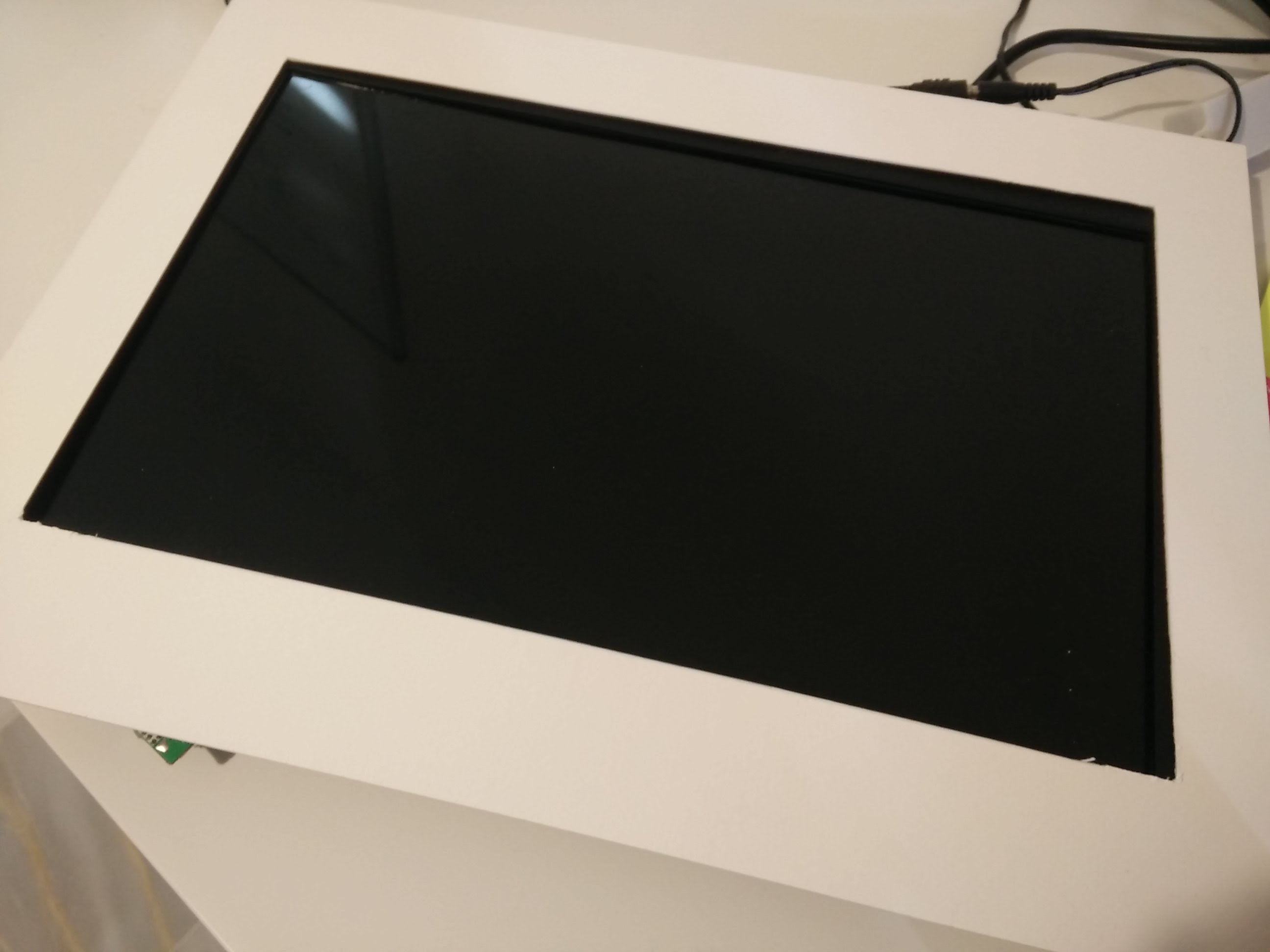
The Ikea picture frame was made for A4 pictures, however, my 15’’ LCD screen is slightly bigger than that, therefore we need to make some adjustments, first, increasing the hole in the white inner frame to 15’’.
Then, cutting the back of the frame to the same size
Everything should fit together, so you should be able to see all the screen inside the inner frame
LCD screen
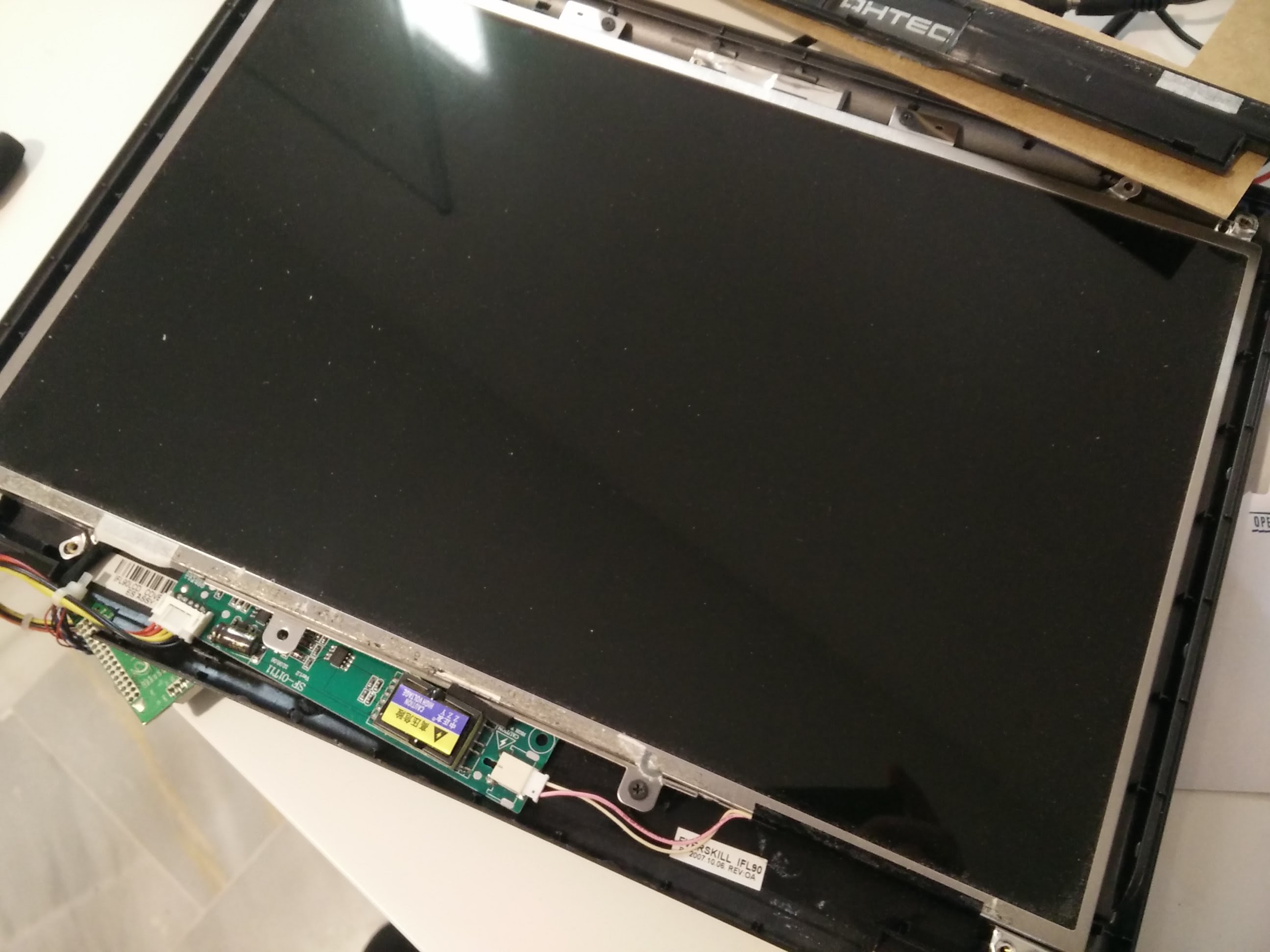
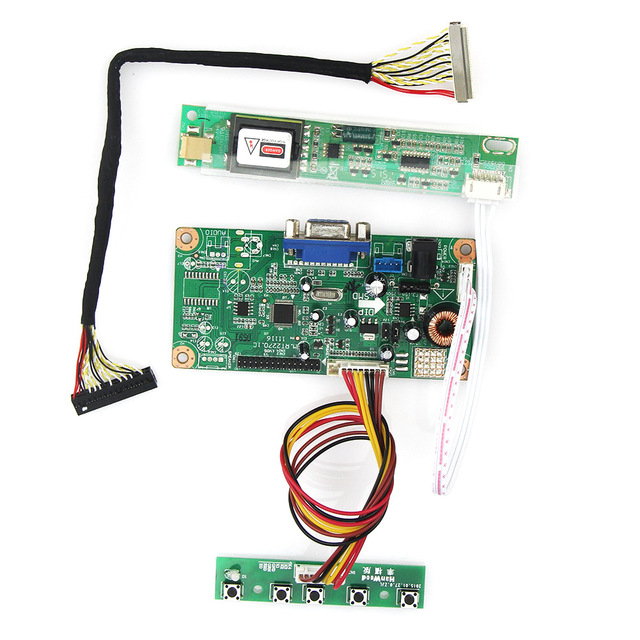
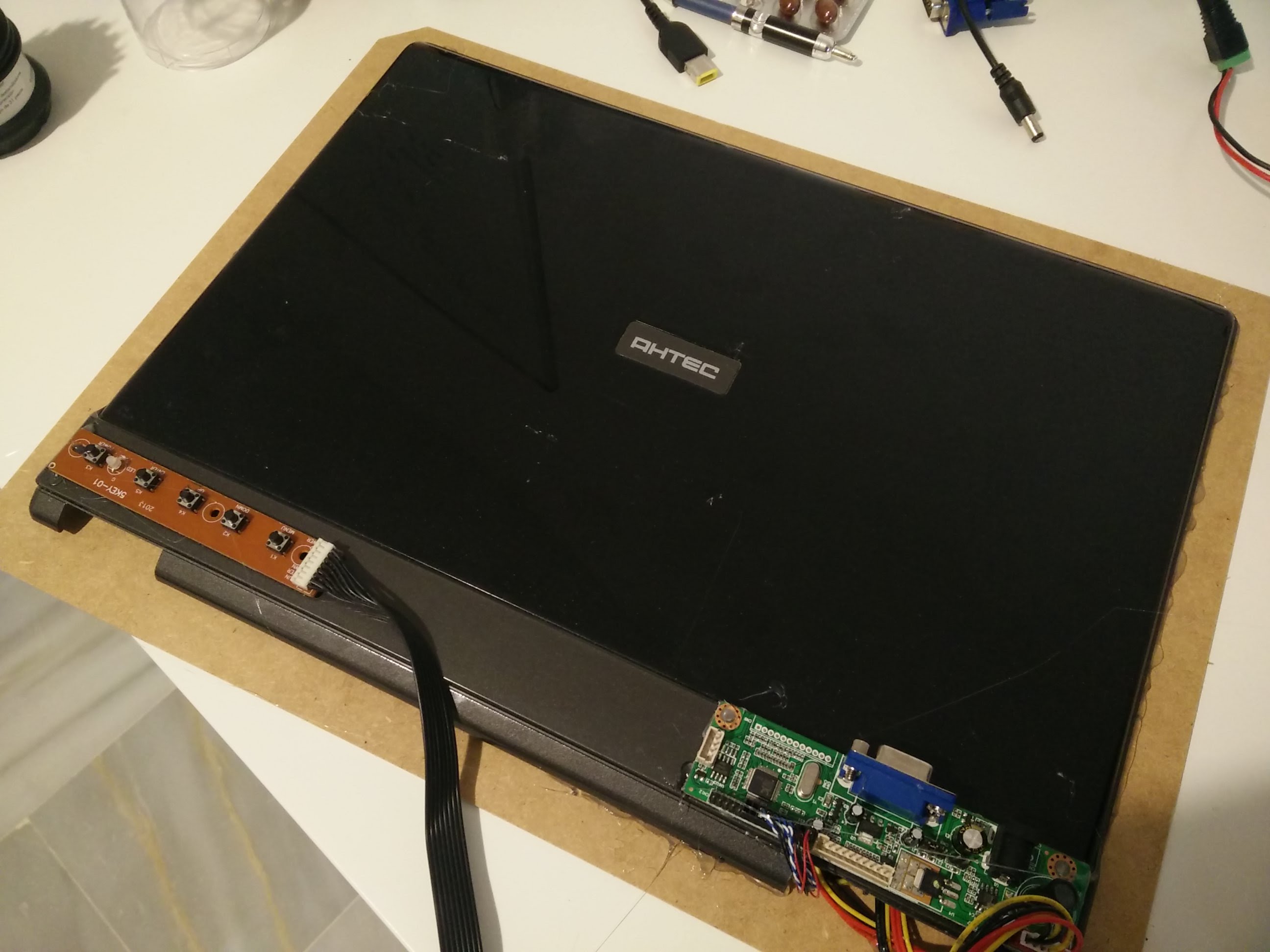
Since a few years ago, I had an ultra thin LCD screen from an old broken laptop. After finding and using a controller board, I’ve been able to use it as extra screen for my desktop computer sugin a VGA connection.
Controller boards are specific to the LCD screen, you need to use an specific model for the serial number of your screen, you can find it on the back. Then it’s a matter of searching ebay/aliexpress for a controller board listing compatibility with your screen model.
So I decided to recycle this screen now to create the canvas, because it’s thin and lightweight.
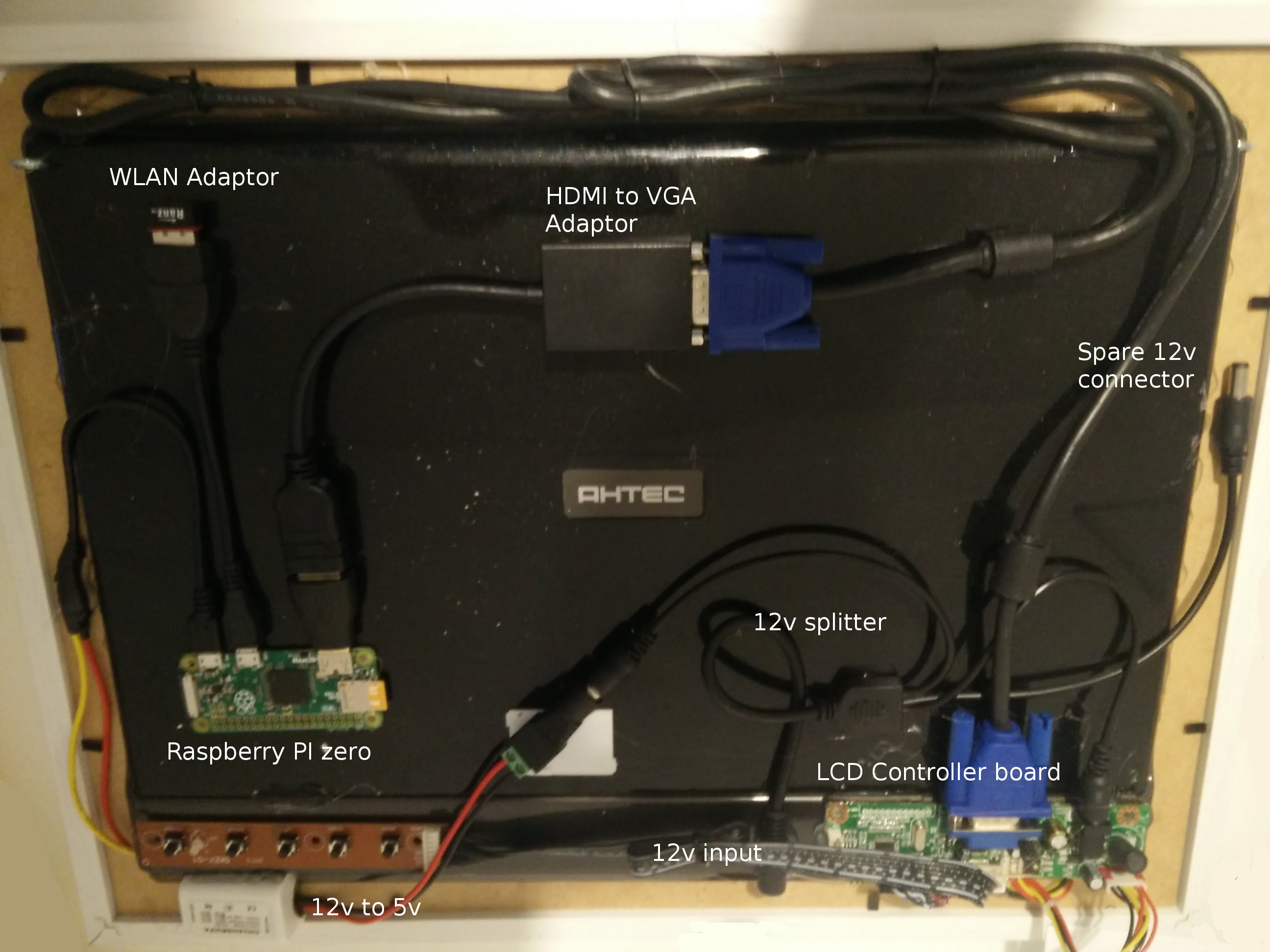
I removed the front case, but left the back side to protect the screen, isolate the components and glue the cables and raspberry pi to it.
The Raspberry PI zero, glued to the back of the screen, is powered by the same power adaptor that powers the LCD screen, using a 12v to 5v conversor. So we don’t need another extra cable connected into the screen. This is how it looks from the back.
Wall mounting
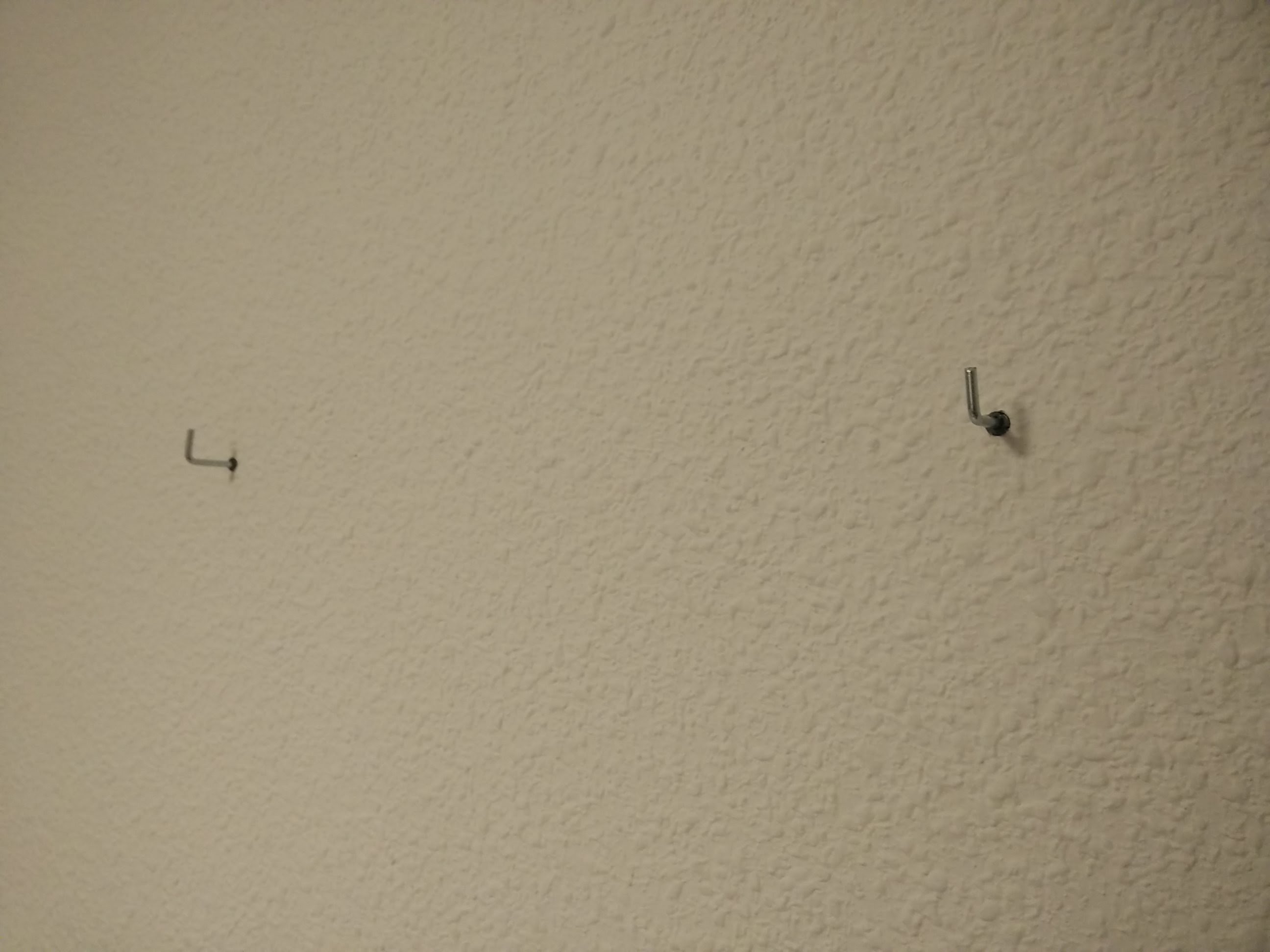
After everything has been assembled together, and tested, we’re ready to hang it into the wall. For this I’ve just added two L shape hooks into the wall, and another two round hooks screwed into the plastic back of the screen.
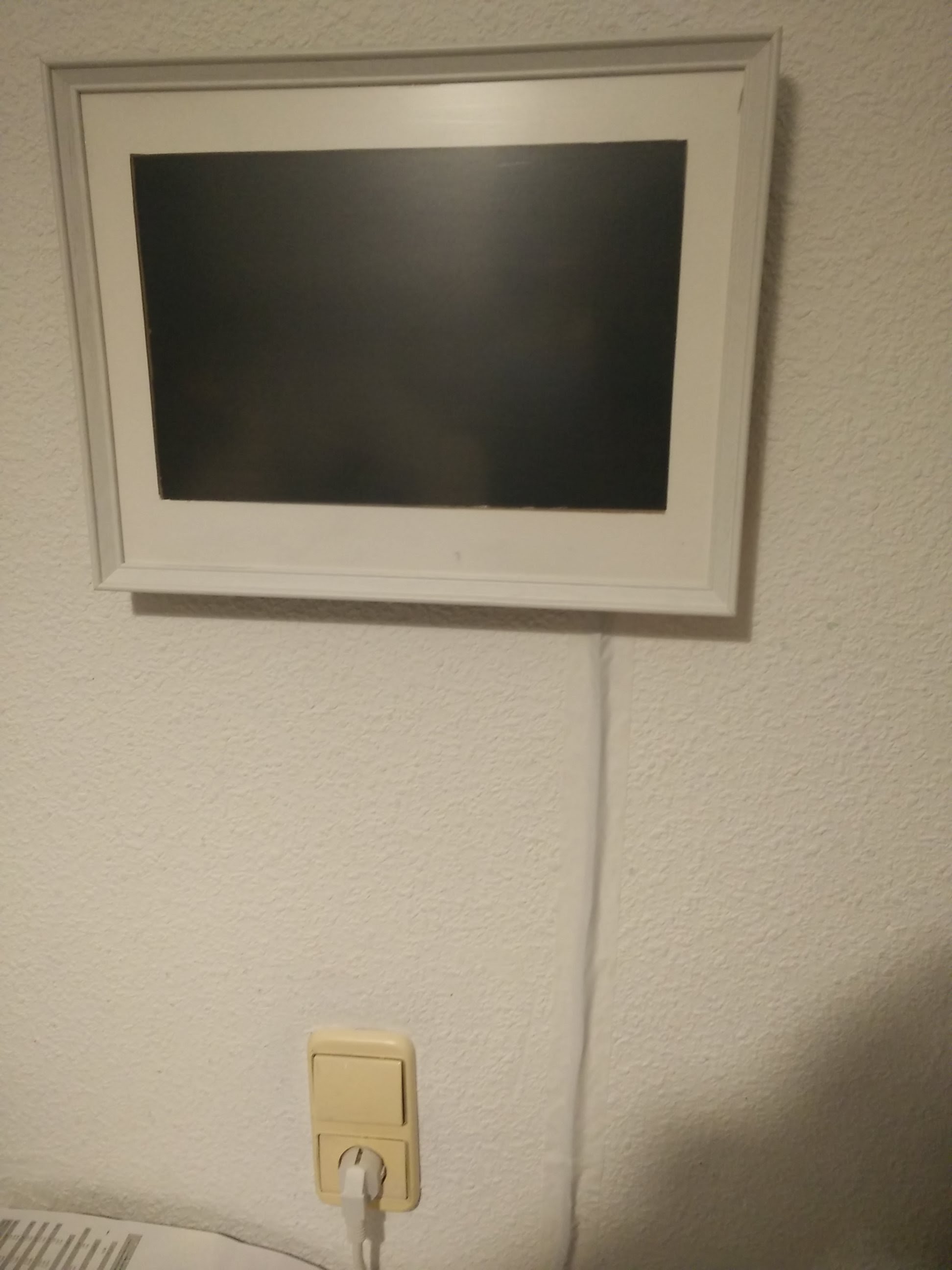
After hanging it to the wall, I connected the 12v cable, and try to hide it using white tape.
Automatically schedule screen
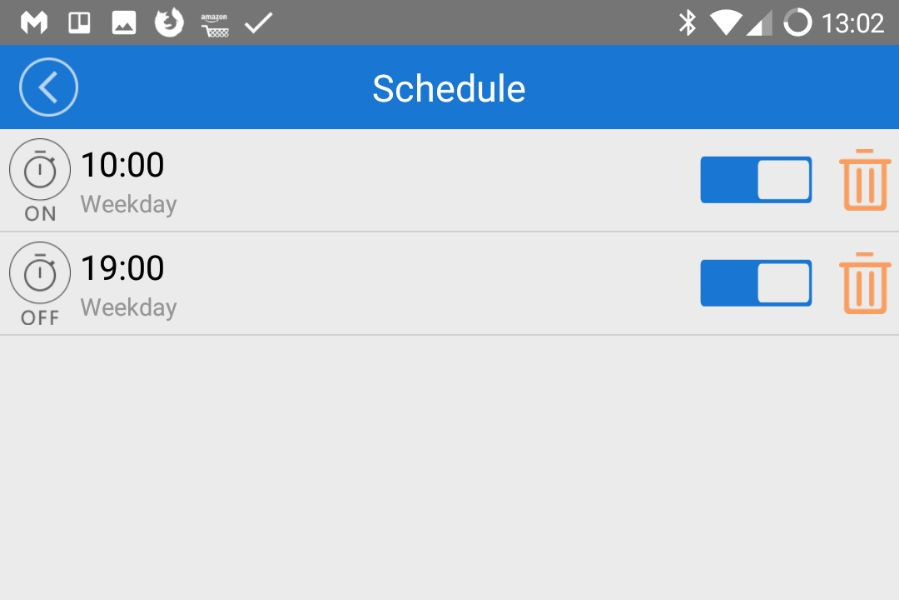
I’d like to schedule the frame, so it runs from 10AM to 7PM on weekdays, my working hours, so I can see London while I work remotely.
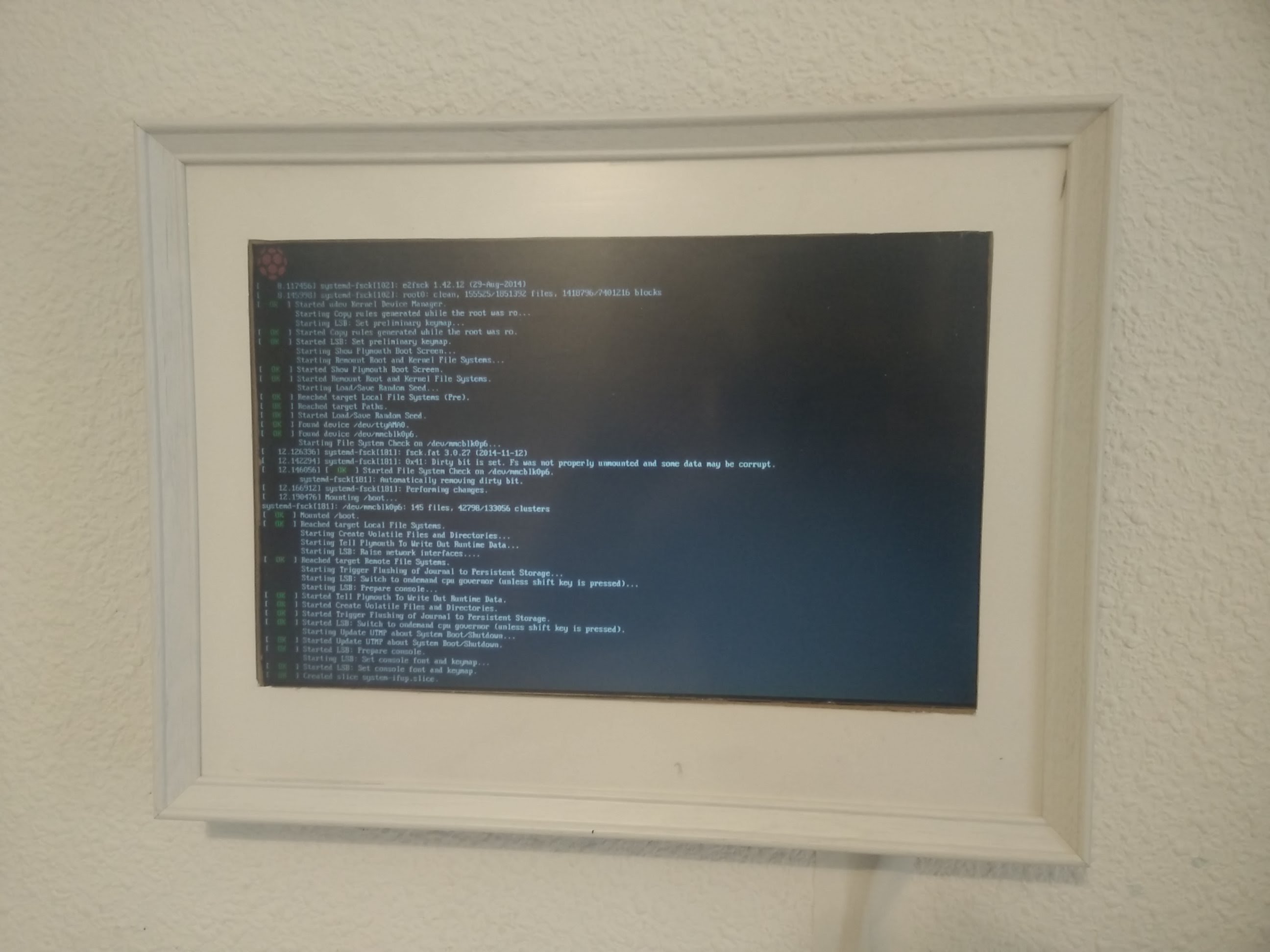
My first approach was to add some scripts on the Raspberry PI (cronjobs) to automatically switch ON/OFF the video output using tvservice --off or xset dpms force off however it didn’t work pretty well in my case, because my LCD controller was not going into standby after turning off the HDMI signal.
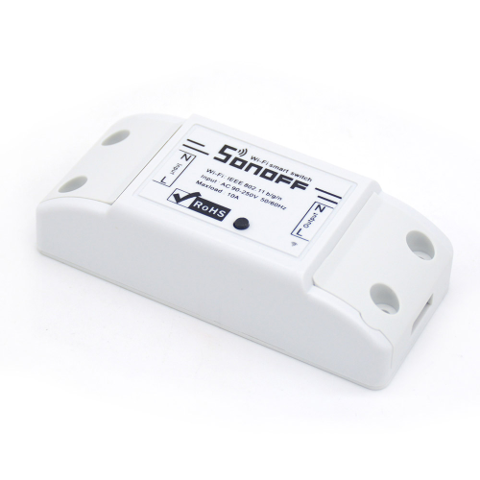
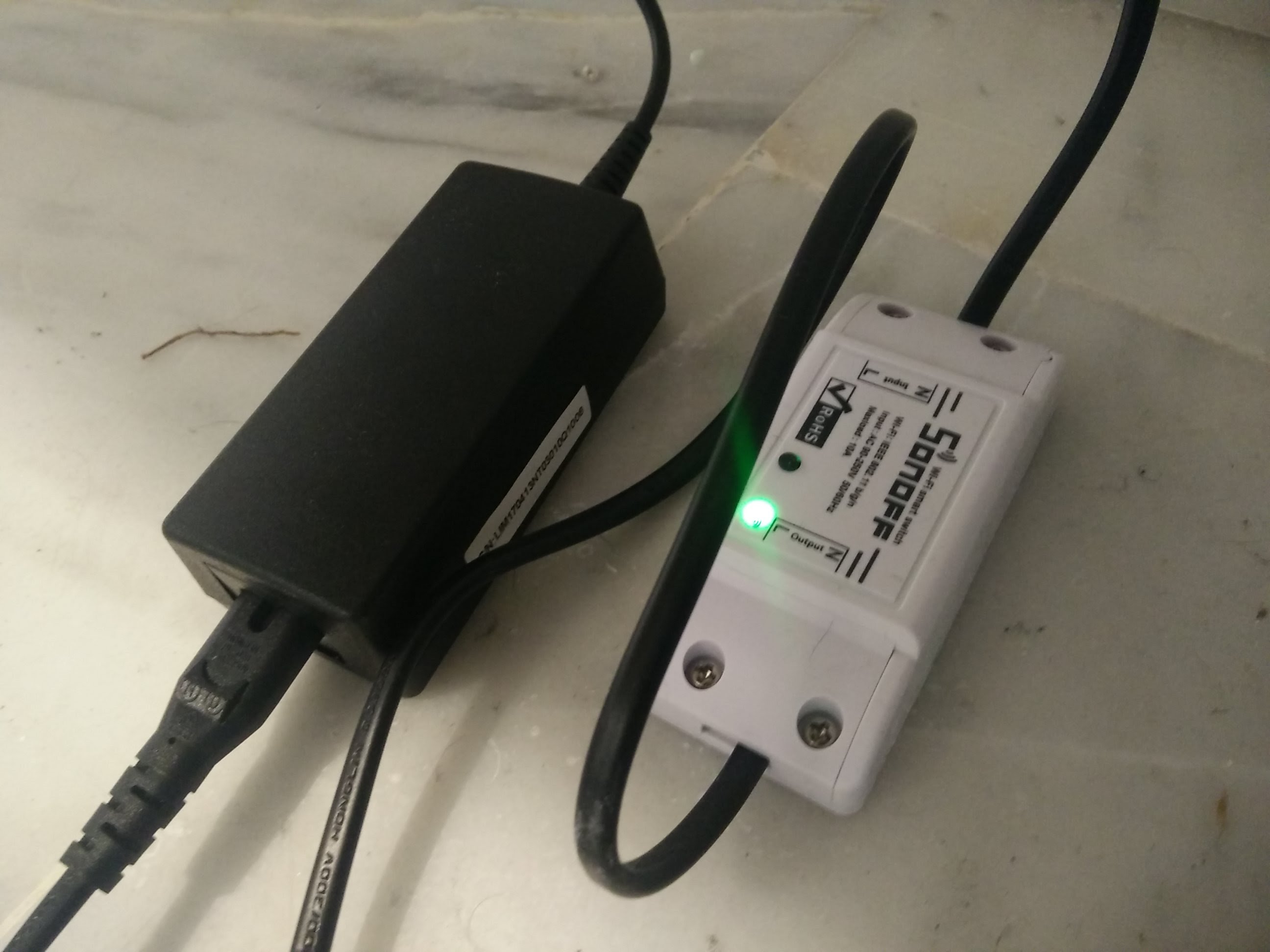
So I decided to use a cheap wireless smart switch I’ve been using for a while, which can be scheduled and controlled by the phone, called Sonoff. You could be using an Energenie, Xiaomi or something similar if you like.
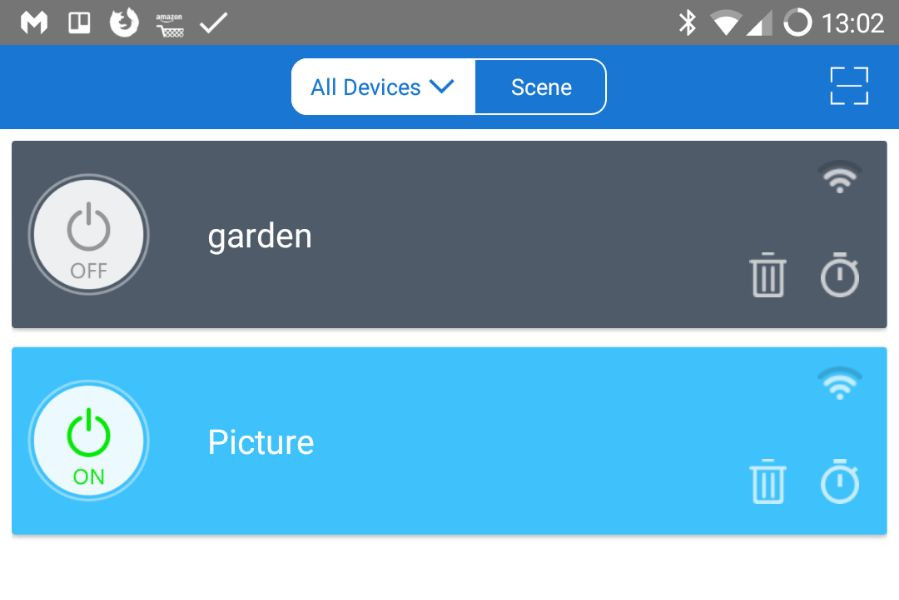
This device needs to be connected in between your power cable, then you can configure it via the phone app.
Then you can add the schedule so the Sonoff, and the Raspberry PI and the screen will be turned ON and OFF automatically.
Software
Because I have now a Raspberry PI powered LCD screen hanging in the wall, I can pretty much display whatever I want. Like for example:
Web page using chrome chromium-browser --kiosk $url
Video using omxplayer omxplayer video.mp4
Use Kodi to display videos or other plugins.
Youtube, twitch live video using the Livestreamer
etc.
Display live video using livestreamer
For this project, I chose to display the London Tower Bridge from a live stream in youtube.
This can be easily achieved using livestreamer open source app, which allow us to display any live content from Youtube, twitch, livestream, dailymotion, etc… into a local video player, without using a web browser.
This is the command I’m using to display a Youtube link using omxplayer on fullscreen.
$youtube_url is a variable with the url of the livestream on youtube
720 is to select the resolution of the video, you can also use best or worst.
-n or --fifo Make the player read the stream through a named pipe instead of the stdin pipe
-p player to use
--no-osd hide the UI from omxplayer
--win display video on full screen (my screen resolution) on omxplayer
Omxplayer is the best open source video player on Raspberry PI, you could try using VLC, but it will not work or display anything because of the lack of native hardware acceleration on Raspberry PI.
Script to display on startup
I wanted to automatically run the video on startup, without any manual interaction.
There are a few ways to do it, but the best I found is using the autostart script located in /home/pi/.config/lxsession/LXDE-pi/autostart. On this script, you need to add @ before every command.
If you want to keep the display ON, you’ll need to add these lines to prevent the screen going OFF after a few minutes.
@xset s off
@xset -dpms
@xset s noblank
Then you can add the command from before to start the livestream on startup. This is all you need to add into the /home/pi/.config/lxsession/LXDE-pi/autostart script:
@xset s off
@xset -dpms
@xset s noblank
@livestreamer https://youtu.be/SMOb9d9s_mI 720p -n -p "omxplayer --no-osd --win '0 0 1280 800' "
Conclussions and improvements
This was an easy and cheap project to build, if you have an old screen, or you get a cheap one. The picture frame looks very nice hanging on the wall, and thanks to youtube and livestreamer, we can display any video very easily.
It took me some time to find the best streaming combination on Raspberry PI Zero. I tried using chromium-browser --kiosk but after sometime the browser was crashing; I tried using VLC to display M3U8 streaming video, but VLC was not efficient enough. Some links did not play on omxplayer, so at the end, I decided to use livestreamer, which works pretty well, and you can use it with other sources too.
I’d like to have a better LCD screen, maybe LED, with a direct HDMI connection and better viewing angle.
You could use the spare 12v connector to add a LED strip on the back of the frame, if you want to have some extra light effect.
Let me know what you think about this project, and if you’ve built your own.